A cockpit module that displays hardware information for 45Drives storage server products.
- Rocky Linux
- Ubuntu 20.04.1 LTS (Focal Fossa)
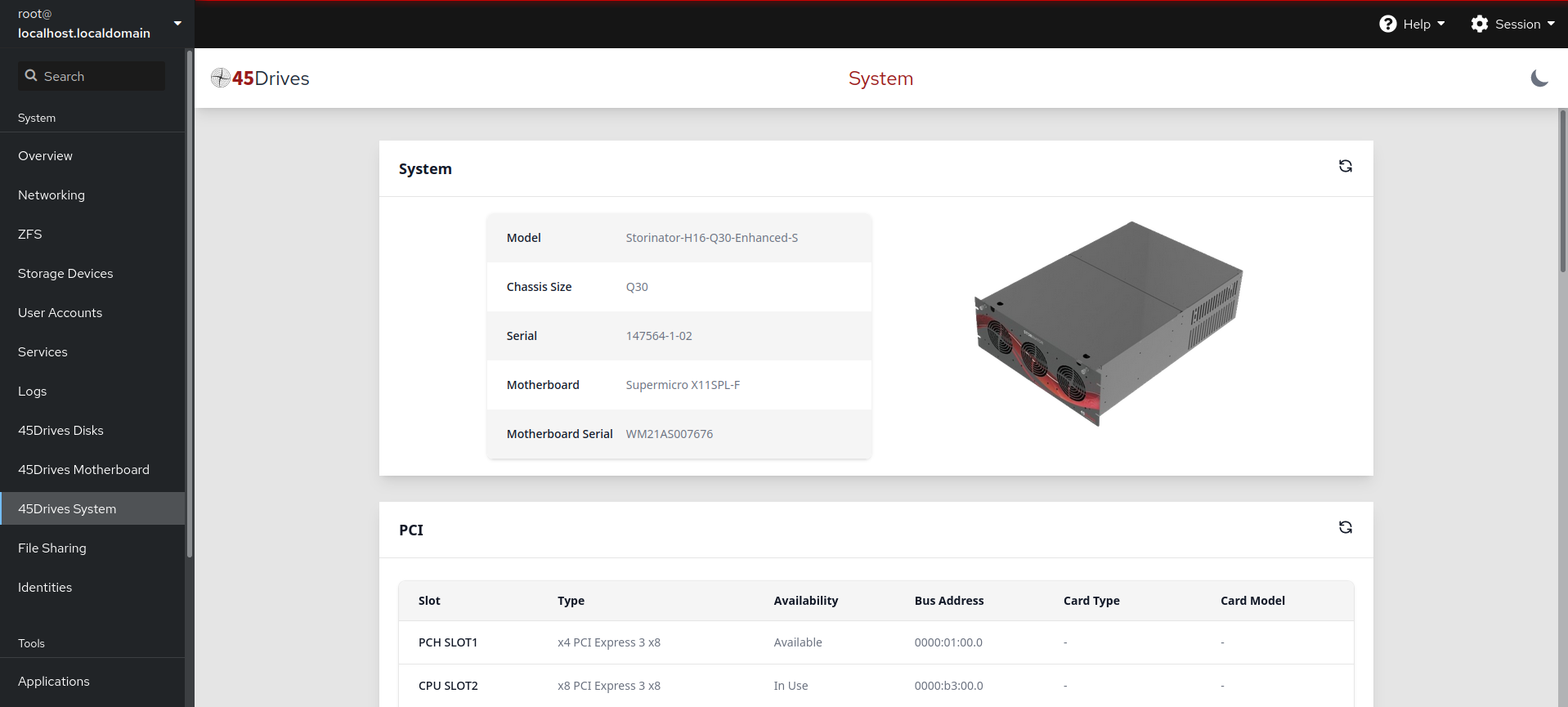
- System Information (model, serial and chassis data)
- Motherboard (manufacturer, model and serial numbers)
- CPU (Model and temperature)
- PCI Devices (Speeds, slot numbers, bus addresses, installed cards, and models)
- Memory (Location, Memory Type, Size, Manufacturer, serial and temperature readings)
- Network Information (Connection Names, States, MAC & IP Addresses, and PCI information if detected)
- IPMI address information
Monitors and manages firmware versions for all permanent hardware components in your 45Drives server. Provides:
- Device Discovery — Automatically detects HBAs, NICs, NVMe drives, and HDDs with their current firmware versions
- Update Notifications — Sidebar badge shows when firmware updates are available (🟡 warning) or reboot needed (🔴 error)
- Firmware Table — Lists all detected devices with current version, latest available version, and update status
- One-Click Updates — Flash firmware directly from the UI for supported HBAs and NICs. Drive flashing (NVMe, HDD) is planned for a future release.
- Integrity Verification — All firmware downloads verified via GPG-signed manifest + SHA256 checksums
- Safe Operations — Pre-flight checks prevent flashing during ZFS scrub/rebuild; risky devices (BIOS, BMC) are display-only
- Automatic Checking — systemd timer (
45d-firmware-check.timer) runs daily to check for updates
fw.45drives.com (GPG-signed manifest + firmware files)
        │
        ▼ firmware-check (gpgv verify → version compare)
/var/cache/45drives/firmware/status.json
        │
        ▼ firmware-flash (SHA256 verify → flash tool execute)
Device firmware updated
| Category | Vendors | Flash Tool | Status |
|---|---|---|---|
| HBA | Broadcom (9305, 9361, 9400, 9600, 9660) | storcli64, storcli2 | ✅ Flash enabled |
| NIC | NVIDIA/Mellanox ConnectX-5, Broadcom NetXtreme, Intel E810 | mlxup, bnxtnvm, nvmupdate64e | ✅ Flash enabled |
| NVMe | Micron 7400, 7450 | nvme-cli | 🔍 Detection only |
| HDD | Seagate Exos (X14–X24, 2X18) | SeaChest_Firmware | 🔍 Detection only |
Displays disks as they appear physically on your 45Drives Storage Server.
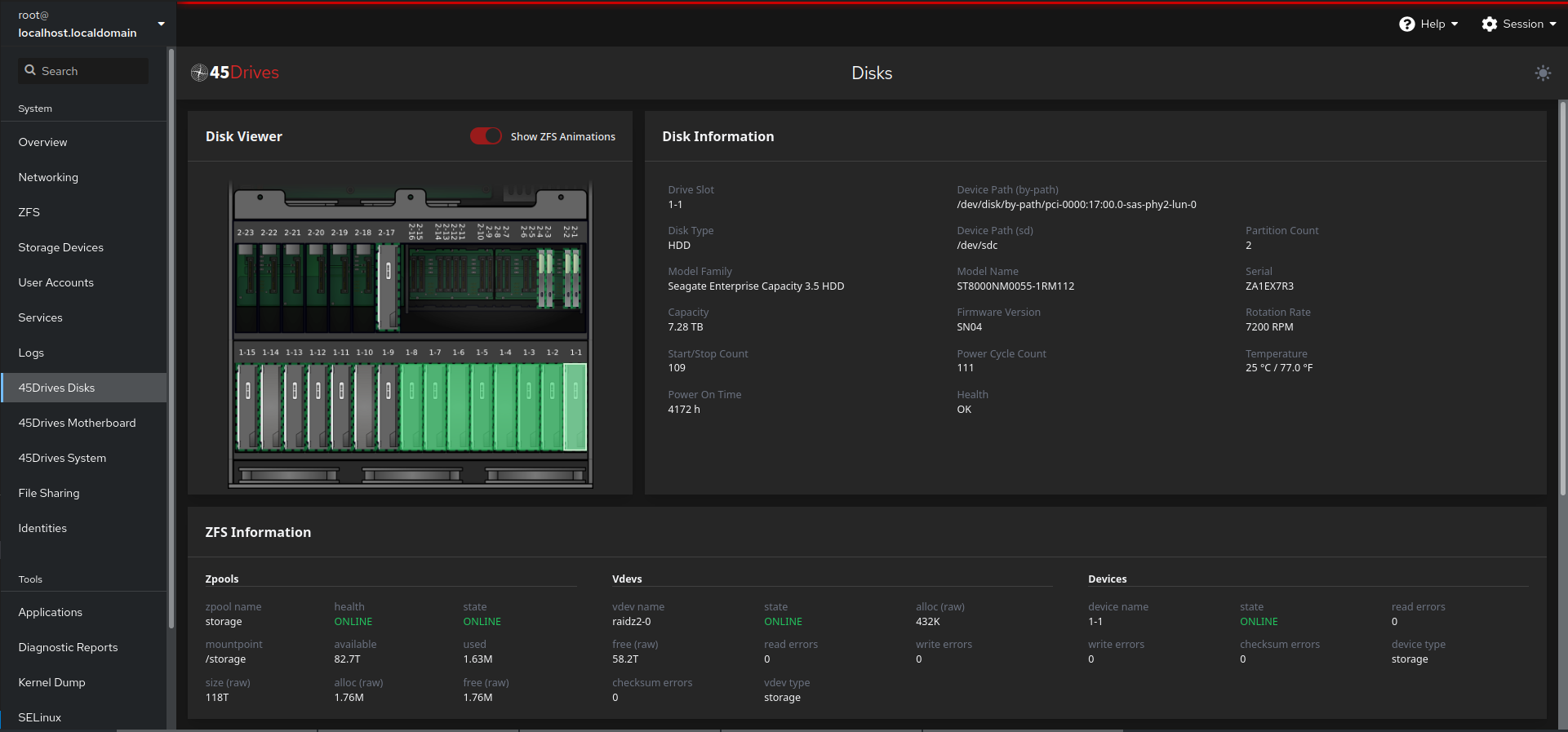
This can show you useful device information including:
- Device Path
- Capacity
- Smartctl information (health, temperature, power on time, etc).
- and more
If ZFS is installed, you can also see additional information.
Shows the physical layout and placement of all PCI cards, Memory modules and SATA connections.
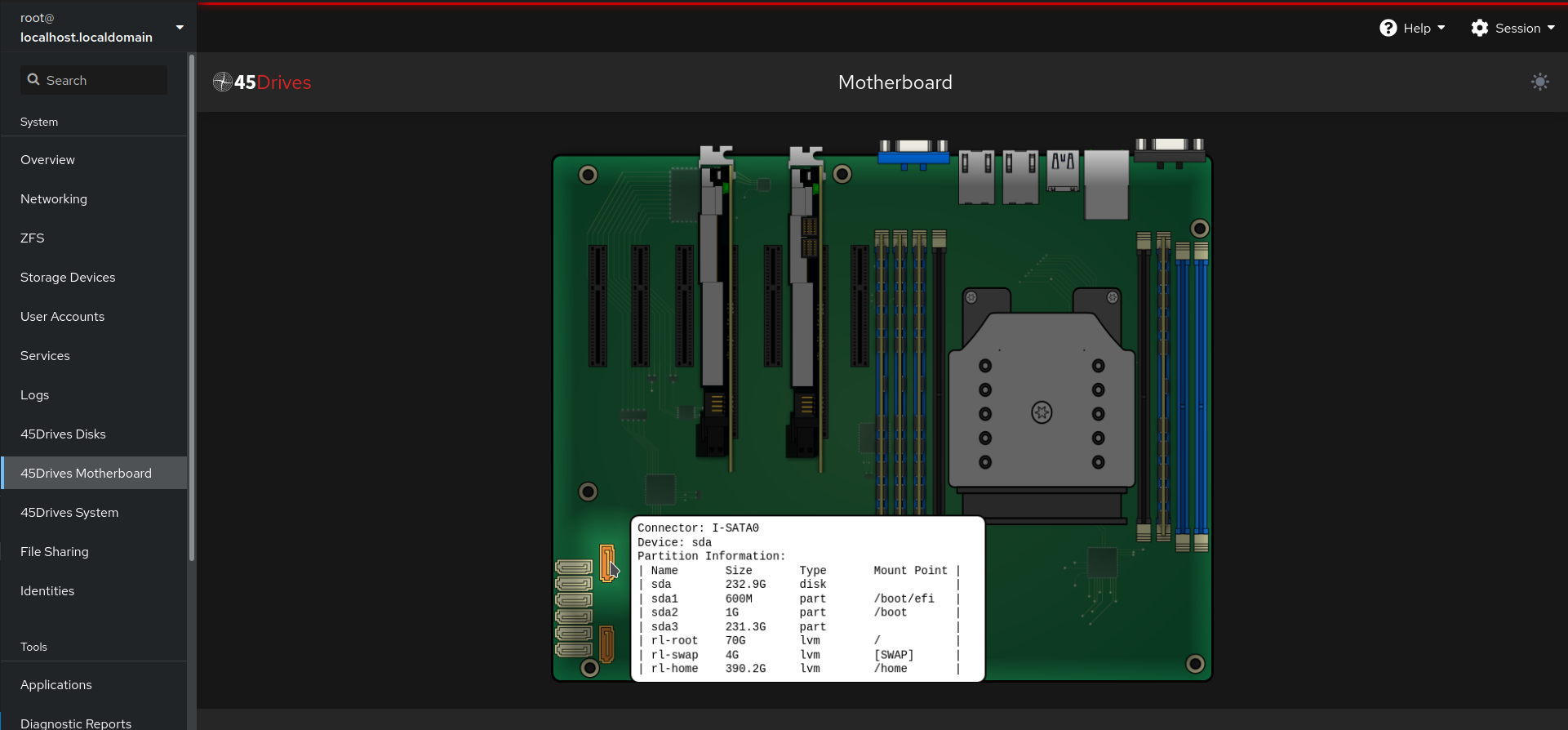
Currently supports the following motherboard models:
- ASRockRack EPC621D8A
- Supermicro H11SSL-i
- Supermicro H12SSL-i
- Supermicro X11DPL-i
- Supermicro X11SPH-nCTF
- Supermicro X11SPH-nCTPF
- Supermicro X11SPL-F
- Supermicro X11SPi-TF
- Supermicro X11SSH-CTF
- Supermicro X11SSM-F
- Supermicro X12DPi-N6
- Supermicro X12SPL-F
Note: All of the interactive information displayed in this module is also available in the 45Drives System module. If your board is not in the list of supported motherboards, the information can be obtained there.
Provides fan speed monitoring, control, and profile management for supported 45Drives NVMe chassis.
Currently supports the following chassis sizes:
- NVME-F8X1
- NVME-F8X2
- NVME-F8X3
This module allows you to:
- Detect all fans and temperature sensors across multiple boards
- Monitor real-time fan RPM and sensor temperatures
- Create and manage fan speed profiles with temperature-based ranges
- Set fan duty cycles per-fan or per-board via I2C
- Bind temperature sensors to fans for automatic speed adjustment
- Activate/deactivate profiles with a background daemon that persists settings across reboots
- Save and restore fan speeds automatically on boot
https://repo.45drives.com/setup.html
The latest versions of our packages are available in our 45drives_testing repo.
By default, the 45drives_testing packages are not enabled.
You can enable them by editing /etc/yum.repos.d/45drives.repo with a text editor (nano, vim, etc ).
Simply change enabled = 0 to enabled = 1.
or
enable using this command: sed -i 's/enabled = 0/enabled = 1/g' /etc/yum.repos.d/45drives.repo
With the 45drives Repo enabled, you can now install using dnf from your terminal.
dnf install cockpit-45drives-hardware
https://repo.45drives.com/setup.html
The latest versions of our packages are available in our 45drives_testing repo.
By default, the 45drives_testing packages are not enabled.
You can enable them by editing /etc/apt/sources.list.d/45drives.list with a text editor (nano, vim, etc ).
simply change Enabled: no to Enabled: yes.
or
enable using this command: sed -i 's/Enabled: no/Enabled: yes/g' /etc/apt/sources.list.d/45drives.sources
sudo apt install cockpit-45drives-hardware
Enter the ip address of your storage server into a web browser using port 9090. Example:
http://192.168.13.37:9090
Then enter your login credentials (you must have admin rights to use cockpit-hardware)