




A TUI to see which dev caches eat your disk — and reclaim space safely, risk-graded. Never touches your data.
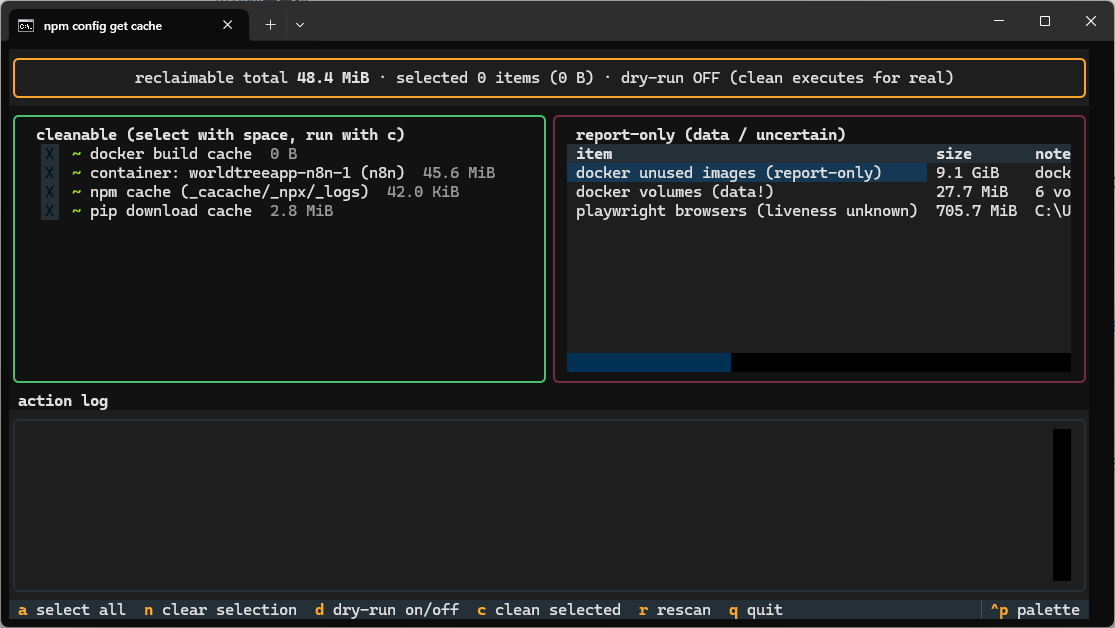
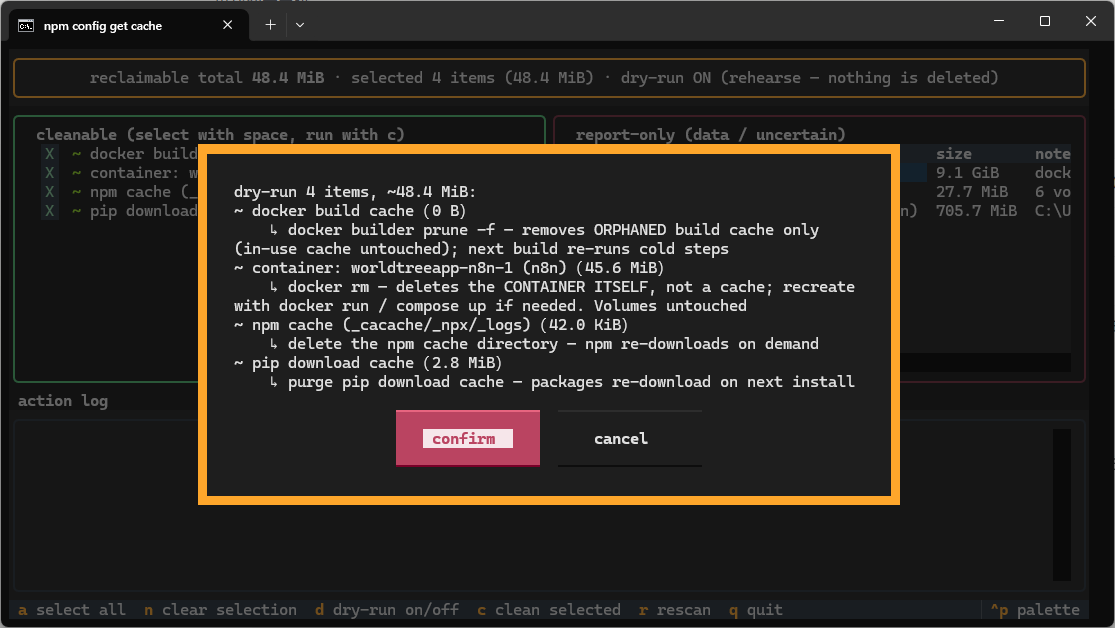
Main view (left: cleanable items, select with space, run with c;
right: report-only facts, visible but untouchable — the layout itself
teaches the safety model) and the confirm gate (nothing cleans without
an explicit yes; each row states its plain-words consequence; dry-run d
rehearses with the disk untouched):
| Main view | Confirm gate |
|---|---|
 |
 |
Every developer machine accumulates caches that nobody watches: pip wheels, npm tarballs, playwright browsers (old versions pile up per release), docker build cache, dangling images, stopped containers... A fresh scan answers the only question that matters: who is eating the disk, and what is actually safe to reclaim?
| Category | Behavior |
|---|---|
| True caches (pip, npm, playwright orphans, docker build cache) | Selectable — each row states its plain-words consequence before anything runs |
| Docker volumes (your data) | Report-only. Never cleaned. No flag unlocks this. |
| Docker stopped containers / unused images | Containers: cleanable one by one, each warning that docker rm deletes the container itself (recreate via docker run/compose up; volumes untouched). Images: report-only until per-image selection ships. |
| Anything the probe cannot judge | Honest report-only ("liveness unknown"), never a guess |
- Every scan is read-only; cleaning is an explicit, confirmed selection.
- Dry-run mode (
d): rehearse exactly what would happen — disk untouched. - Probes that fail surface as visible error rows, never swallowed.
pipx install cachekat
Or from source: pipx install git+https://github.com/Aeluris/CacheKat.git
cachekat tui             # interactive: scan -> select -> confirm -> clean
cachekat scan            # read-only report: who eats the disk
cachekat scan --json     # machine-readable
# every command accepts --lang auto|en|zh (auto follows the system language)
Docker rows need the docker daemon running — if the TUI shows
docker daemon unreachable, start Docker Desktop and press r to rescan.
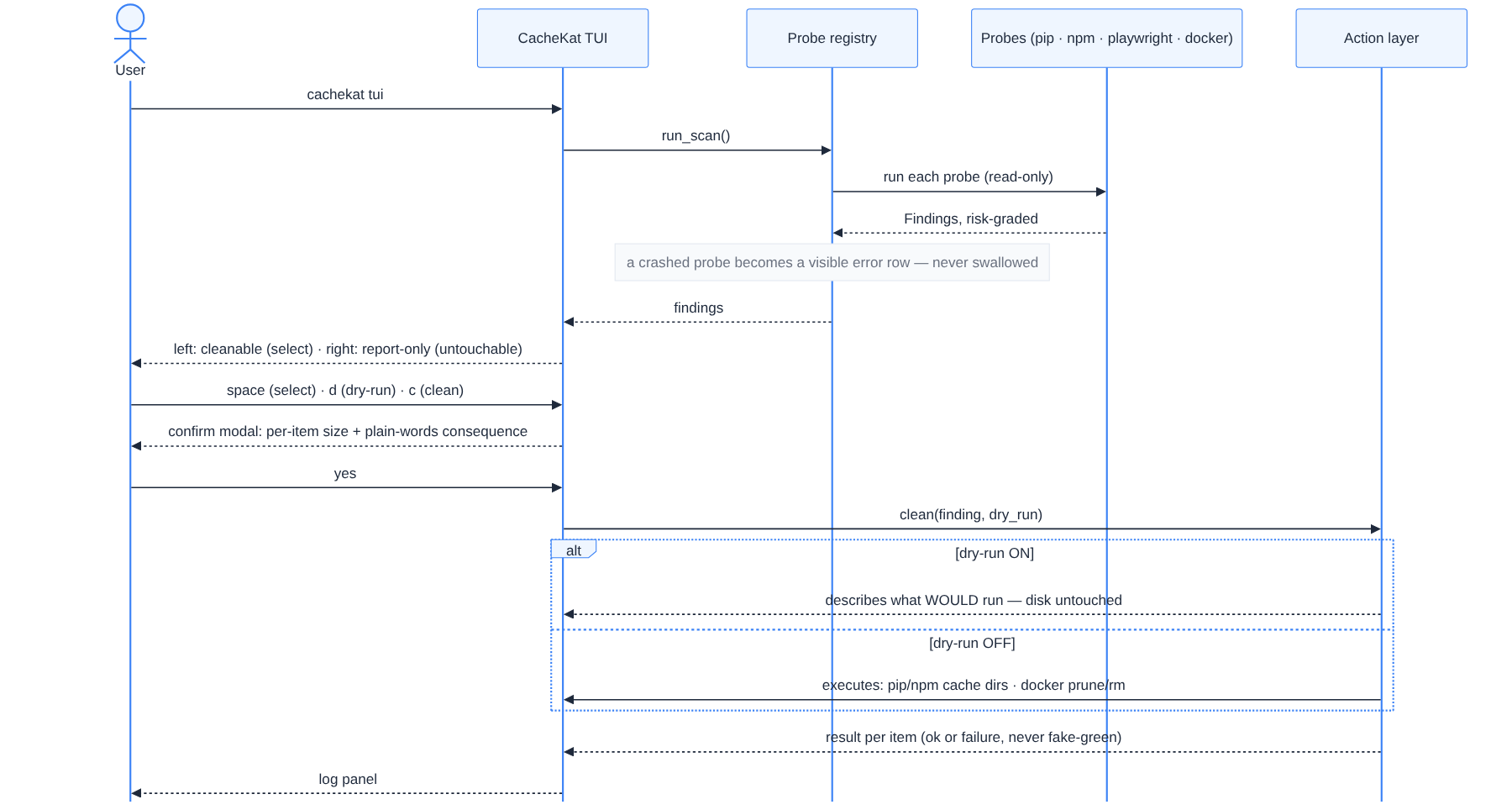
scan (read-only) → risk-grade → select → confirm → clean
Every step funnels through explicit safety gates — probes crash into visible error rows, data lands in report-only, cleaning needs an explicit yes, and dry-run rehearses with the disk untouched:
See CHANGELOG.md for details, CONTRIBUTING.md to help, AGENTS.md for the engineering rulebook.
MIT — © 2026 Aeluris