
CodeGlyphX is a pure-managed .NET toolkit for QR codes, industrial and retail barcodes, matrix symbols, structured payloads, and image rendering/decoding. It does not require native graphics libraries such as System.Drawing, SkiaSharp, or ImageSharp.



- QR, Micro QR, and rectangular Micro QR encoding and module decoding, including ECI, Kanji, FNC1/GS1, and structured append where the format supports it
- Common 1D symbologies including Code 128/GS1-128, Code 39/93/11, EAN/UPC, ITF, Codabar, MSI, Plessey, postal, and GS1 DataBar variants
- Industrial and logistics formats including MaxiCode, DotCode, Han Xin Code, GS1 DataBar Limited/Stacked Omnidirectional, and GS1 Composite with GS1-128, EAN/UPC and DataBar carriers
- Data Matrix ECC 200 and DMRE encoding/decoding, plus PDF417/MicroPDF417 and Aztec
- Code 16K, Code 49, Codablock F, Channel Code, BC412, PosiCode, Mailmark, EAN supplements, Telepen Numeric, COOP/Datalogic 2 of 5, FIM, DAFT and Flattermarken
- Checked ISBN/ISMN/ISSN/PZN and postal identifier profiles, HIBC carriers, USPS package data, North American coupons and complete Swiss QR symbols
- QR payload builders for Wi-Fi, contacts, calendar events, OTP, payments, social profiles, and app links
- PNG, JPEG, WebP, GIF, TIFF, BMP, Netpbm, TGA, ICO, XBM, XPM, SVG/SVGZ, HTML, PDF, EPS, and ASCII output
- Managed raster decoding with explicit byte, pixel, dimension, animation, cancellation, and recognition-budget controls, plus opt-in laser-etch and dot-peen preprocessing
- WPF controls and example applications
The exact behavior and known codec limits are documented under image decoding and output formats.
dotnet add package CodeGlyphXThe output format is selected from the file extension:
using CodeGlyphX;
using CodeGlyphX.Payloads;

var contact = QrPayload.VCard(
    firstName: "Ava",
    lastName: "Stone",
    phone: "+14155550198",
    email: "ava@example.com",
    organization: "CodeGlyphX");

QR.Save(contact, "contact.png");
Barcode.Save(SymbolFormat.Ean, "5901234123457", "product.svg");
DataMatrixCode.Save("LOT-2026-0042", "lot.png");
Pdf417Code.Save("DOCUMENT-2026-0042", "document.pdf");
AztecCode.Save("TICKET-2026-0042", "ticket.svg");
These calls are also compiled and executed by the NativeAOT CI smoke test in CodeGlyphX.Examples/FlagshipApiExample.cs.
For in-memory output, use a generic renderer and an explicit format:
using CodeGlyphX;
using CodeGlyphX.Rendering;

byte[] png = QR.Render("Hello", OutputFormat.Png).ToArray();
string svg = Barcode.Render(SymbolFormat.Code128, "PRODUCT-123", OutputFormat.Svg).GetText();

using var stream = File.Create("hello.pdf");
OutputWriter.Write(stream, QR.Render("Hello", OutputFormat.Pdf));
For 2.x consumers, see the 3.0 migration guide. Encoding settings are separate from appearance:
var qr = QR.Encode("Hello", new QrEncodingOptions {
    ErrorCorrectionLevel = QrErrorCorrectionLevel.H,
    EciMode = QrEciMode.Auto
});
qr.Save("hello.png", new QrRenderOptions { ModuleSize = 6, QuietZone = 4 });
RenderedOutput.Data is read-only; use ToArray() when a mutable byte array is required. Encoded symbols retain their format metadata and their own module data. Rendering cannot change payload, version or error correction.
The runtime catalog covers 65 physical formats with encoding, sampled-module or colour-cell decoding, and image recognition. Symbol capabilities lists default recognition, explicit format selection, geometry and multiple-result support separately. Raw Flattermarken cells require a calibrated grid because blank cells carry data; unchecked marks can also require a known orientation.
using CodeGlyphX;
using CodeGlyphX.Code16K;
using CodeGlyphX.Rendering;

var part = Code16KEncoder.Encode("ORDER-123", new Code16KEncodingOptions {
    StructuredAppend = new Code16KStructuredAppend(index: 1, total: 2)
});
part.Save("order-part.svg", new MatrixOptions { LabelText = "Part 1 of 2" });

var book = BarcodeProfiles.Render(LinearBarcodeProfile.Isbn, "9781565812314", OutputFormat.Png);
OutputWriter.Write("book.png", book);
var coupon = NorthAmericanCoupon.Render("(8110)012345612345611110123", OutputFormat.Png);
OutputWriter.Write("coupon.png", coupon);
Barcode profiles and controls describes HIBC carriers, checked book/pharmacy/postal identifiers, USPS package fields, coupons, Mailmark 2D and Swiss QR payments. SwissQrCode validates the payment, selects QR error correction M and renders the recognition cross. Postal and payment helpers validate data and produce symbols; complete mailpieces, payment parts and printed acceptance require their own layout and qualification.
Barcode fonts provides bundled OCR-A/OCR-B faces and portable TrueType/OpenType text measurement and outlines through BarcodeFont, including case preservation, collection-face selection, explicit missing-glyph handling and supported managed shaping. It requires no installed fonts or additional runtime package.
Physical printing measures labels in millimetres, positions family-specific bars and readable text, and shares glyph outlines across PNG, SVG and PDF. The playground's print studio offers bundled faces and local font uploads. Run CODEGLYPHX_PHYSICAL_PRINT=1 for the label examples using bundled OCR-B, with an optional CODEGLYPHX_PRINT_FONT path to your supplied font.
Ultracode encodes Latin-1 text or exact bytes with five error-correction levels. Its colour-cell decoder and image scanner preserve the palette, and its PNG/SVG renderers keep the required data colours.
The specialist example exports the formats and profile captions and checks the decoded module payloads. Run it with CODEGLYPHX_SPECIALIST_BARCODES=1; CODEGLYPHX_OUTPUT_DIR selects the output folder. It also runs in the public API NativeAOT smoke test.
var options = new QrRenderOptions {
    Art = QrArt.Theme(
        QrArtTheme.NeonGlow,
        QrArtVariant.Conservative,
        intensity: 60)
};

QR.Save("https://codeglyphx.com", "styled.png", options,
    new QrEncodingOptions { ErrorCorrectionLevel = QrErrorCorrectionLevel.H });
QR.EvaluateScanHeuristics reports static contrast, quiet-zone, module-scale, and related concerns before rendering. It does not decode the output or guarantee scanner interoperability; validate final artifacts on the real devices and applications you support.
Finder eyes are whole rings and balls: a 7×7 outer shape surrounds a 5×5 light opening and a 3×3 dark ball. Timing modules follow the body shape, and alignment patterns use the same finder treatment at 5×5. Format/version bits and the fixed dark module retain their protected geometry.
var ink = new QrRenderOptions {
    TargetSizePx = 1024,
    ModuleShape = QrModuleShape.Liquid,
    Eyes = new QrEyeOptions {
        OuterShape = QrModuleShape.Rounded,
        InnerShape = QrModuleShape.Circle
    }
};
QR.Save("https://example.com", "ink.png", ink,
    new QrEncodingOptions { ErrorCorrectionLevel = QrErrorCorrectionLevel.H });
QR.Save("https://example.com", "ink.svg", ink,
    new QrEncodingOptions { ErrorCorrectionLevel = QrErrorCorrectionLevel.H });
Liquid joins neighbouring dark modules and fills concave corners. Classy rounds one corner, ExtraRounded uses half-cell radii, and BarsVertical / BarsHorizontal create joined capsules. Curved raster edges use subpixel coverage at the selected size. An unframed TargetSizePx centres integer-sized modules in exact pixel bounds; spare pixels extend the quiet zone.
DotGrid, Plus, Star and Heart are decorative – verify before print. They are not scan-safe preset choices. A shape's appearance alone does not establish that a particular eye/body/palette combination survives reduction, blur or rotation. Guarded rendering preserves the selected body shape while keeping ink dark on a light QR background and limiting disruptive textures. It also checks the canonical appearance pixels with CodeGlyphX's native Balanced decoder, without transforms or stylized sampling, and compares the recovered payload with the encoded symbol. If decoding fails or exceeds its cooperative one-second budget, rendering throws; increase the output size or simplify the artwork. This check does not certify lossy exports, resized images or printed output. Legacy targets use the limited managed decoder and can reject artwork accepted on newer targets; the check fails closed on those targets too. Set ArtGuardrailsEnabled = false only when deliberately producing an unguarded composition for separate verification. Independent ZXing comparisons run in the test suite; they add no runtime dependency.
SVG and SVGZ accept the same high-level body, eye, canvas, palette and pattern options as PNG. Styled exports contain coloured vector coverage contours, with no embedded QR bitmap. Those contours preserve the selected raster resolution; select an appropriate TargetSizePx or ModuleSize before exporting for print. The HTML table renderer retains its narrower appearance support.
QrArt.RenderLogo keeps a requested logo visible. LogoPlacement.Auto finds the largest pattern-free area whose center stays in the central third of the symbol, preferring the placement nearest the center. Padding is included in the correction budget for each Reed-Solomon block. It throws when the requested minimum readable size cannot fit. Version and correction-level increases are optional and remain within the supplied encoding limits.
using CodeGlyphX;
using CodeGlyphX.Rendering.Art;
using System.IO;

var result = QrArt.RenderLogo("https://example.com", File.ReadAllBytes("logo.png"),
    new QrLogoRenderOptions {
        Placement = LogoPlacement.Auto,
        MinimumLogoSideModules = 5,
        AllowErrorCorrectionUpgrade = true,
        AllowVersionUpgrade = true
    },
    new QrEncodingOptions { ErrorCorrectionLevel = QrErrorCorrectionLevel.H, MaxVersion = 10 });
File.WriteAllBytes("brand.png", result.GetPng());
// result.Symbol reports the actual version and correction level.
// result.Budget reports coordinates, logo modules, blocks touched and remaining margins.
QrArt.FitLogo exposes the pattern-preserving placement calculation separately. Use its X/Y coordinates as well as its size; the logo may move slightly to avoid alignment patterns. The result counts both data and parity codewords and reserves two additional unknown errors per block by default.
RenderLogo also accepts Appearance.TargetSizePx: it resolves the protected quiet zone before choosing the integer module size and logo offsets. result.GetRenderOptions() returns an independent copy of that resolved appearance for another export, such as result.Symbol.Render(OutputFormat.Svg, result.GetRenderOptions()). The recorded decoder results cover the original PNG; check final delivery assets separately.
LogoPlacement.CenterOverAlignment is an explicit brand-first option for RenderLogo. It requires both native validation and a caller-supplied decoder from a different implementation, configured through IndependentDecoder and IndependentDecoderName. A verified result includes a warning when alignment is covered and names the decoders that checked the PNG. The library ships no external decoder. Coding margins and software decodes do not replace testing the final asset on the intended phones and printed media.
QrArt.Hero returns editable options for Ink, Dot Matrix, Sunset, Ocean, Mono Classy, Brand, Neon, Paper Cutout, Retro Pixel, Minimal Line, Botanical and Berry. Each look has a light and a dark-panel variant; the QR itself stays dark on a light background. QrArt.DescribeHero gives a short suggested use.
var appearance = QrArt.Hero(QrHeroPreset.Sunset, darkPanel: true);
QR.Save("https://example.com/menu", "menu.png", appearance,
    new QrEncodingOptions { ErrorCorrectionLevel = QrErrorCorrectionLevel.H });
For Brand, pass the returned options as QrLogoRenderOptions.Appearance to QrArt.RenderLogo along with your logo. The placement result describes the exported PNG. Check the final output on the phones and printed media you intend to use.
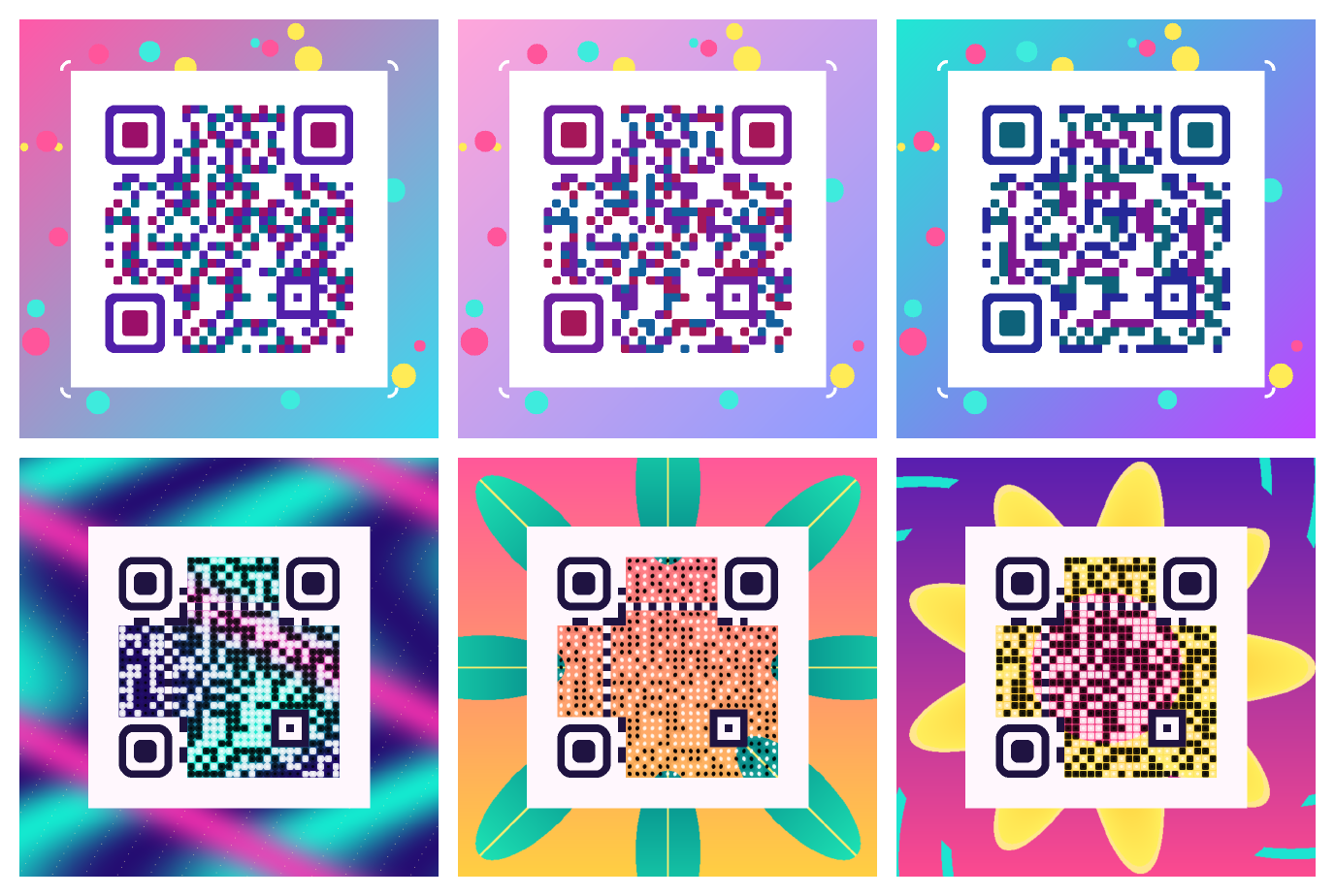
The colorful-gallery example renders six designs: three combine module palettes, rounded finder patterns, gradients and confetti; three weave locally drawn illustrations into the QR data area. The designs use high error correction and preserve the functional patterns and a light quiet zone.
Run the gallery from the repository root with PowerShell:
$env:CODEGLYPHX_COLORFUL_GALLERY = '1'
$env:CODEGLYPHX_OUTPUT_DIR = Join-Path (Get-Location) 'artifacts/colorful'
dotnet run --project CodeGlyphX.Examples -c Release
Remove-Item Env:CODEGLYPHX_COLORFUL_GALLERY, Env:CODEGLYPHX_OUTPUT_DIR
The output directory contains six full-size PNGs, a contact sheet and validation.tsv. Each export must recover https://codeglyphx.com from its original pixels, a half-size copy and a lightly blurred copy before the example completes. These CodeGlyphX decoder checks cover the exported files; test the intended delivery size and target readers before distributing a design. The contact sheet is a preview, and its thumbnails are not the validated exports.
The generic render API accepts PNG compression without changing styling or decoded pixels:
using CodeGlyphX.Rendering;

var png = QR.Render("https://example.com", OutputFormat.Png,
    new QrRenderOptions { ModuleSize = 16 },
    outputOptions: new OutputOptions { PngCompressionLevel = 6 });
PngCompressionLevel also applies to generic matrix and linear-barcode rendering. Use 0 for stored data or 1 through 9 for compression. Leaving it unset preserves each renderer's existing default.
QR PNG output defaults to compression level 6. Typical monochrome styled codes fit a 60 KB budget; photographs, textured scenes and large high-detail canvases can require more space. Compression is lossless and does not change module coverage.
Use a photo or illustration to color the QR data area. Composition runs locally, preserves the image's proportions, flattens transparency onto white, and keeps finder, timing, alignment, format, and version modules intact. The quiet zone stays white by default.
using CodeGlyphX;
using CodeGlyphX.Rendering.Art;
using System.IO;

const string payload = "https://example.com/art";
var artwork = QrArt.Compose(payload, File.ReadAllBytes("illustration.png"),
    new QrImageCompositionOptions {
        Style = QrImageCompositionStyle.ImageOverlay,
        Fit = QrImageFit.Cover,
        ModuleSize = 16,
        Strength = 0.75
    });
byte[] png = artwork.ToPng();
var report = QrArt.ValidateImage(png, payload);
if (report.AllPassed) File.WriteAllBytes("artistic-qr.png", png);
ColorModules (the default) adapts the luminance of every image pixel to its QR module, with small contrasting centers for local-threshold readers. ImageOverlay reveals more image detail around contrasting square module centers; CenterSize controls their width when Art is not set. Strength ranges from 0 (plain black/white) to 1 (most image color). Cover crops centrally; Contain fits the whole image on white. Composition uses high error correction. For an existing QR or raw RGBA artwork, use QrImageComposer.Render(qr, rgba, width, height, options).
Halftone3x3 divides each data module into nine equal sub-cells. Error diffusion follows the supplied image, while the centre sub-cell is forced to the encoded dark or light value. All functional patterns and the quiet zone stay solid. Use a module size divisible by three; Strength controls the image's contribution before dithering. This is separate from the decorative stipple treatment named Art.Style = Halftone.
var halftone = QrArt.Compose(payload, File.ReadAllBytes("portrait.png"),
    new QrImageCompositionOptions {
        Style = QrImageCompositionStyle.Halftone3x3,
        ModuleSize = 18,
        Strength = 0.75
    });
halftone.SavePng("portrait-qr.png");
ImageBackground retains the source colours around opaque module centres. Use CenterSize to balance image visibility and scanning contrast; for example, start at 0.7 with an 18-pixel module. Neither new treatment combines with Art silhouettes. Validate the exported PNG at the delivery size with QrArt.ValidateImage, then check an independent reader and the intended phones or printed media. The limited native decoder on legacy runtimes can reject compositions accepted by modern .NET; rendering support does not establish legacy scan validation.
The legacy QrImageDecoder also locates axis-aligned QR finder patterns in the actual image. Captions, frame borders and detailed logos no longer have to share the QR's dark bounding rectangle. It still samples the supplied pixels and performs the normal module/error-correction checks; this does not replace checking camera images or printed output.
ValidateImage reads the exported image and attempts to recover the exact expected text from the original, a half-size copy, and a lightly blurred copy. Its report records each result, including failed or budget-limited attempts. It uses CodeGlyphX's decoder; legacy targets have limited image recognition. A passing report does not certify other readers or printed output. Check the actual delivery size, compression, and target devices before distributing artwork.
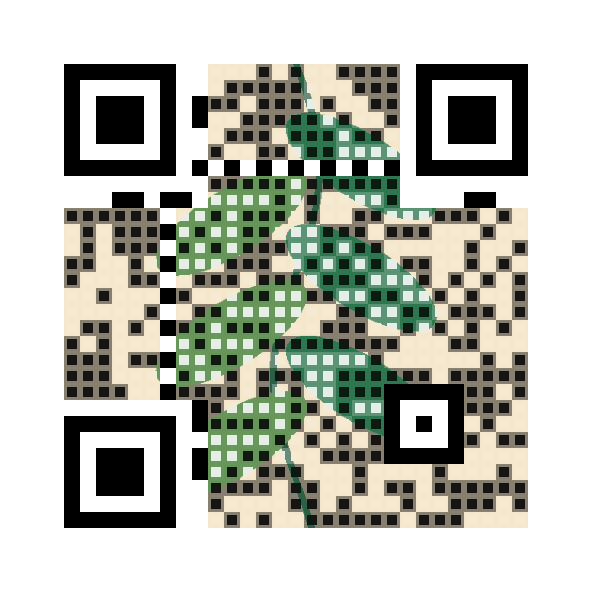
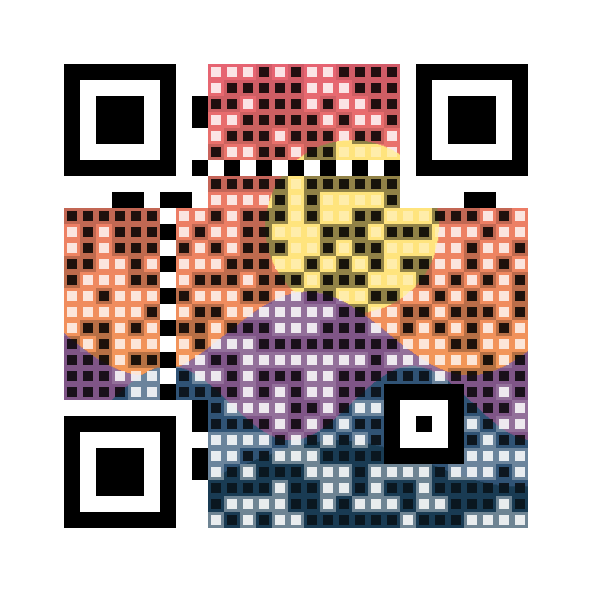
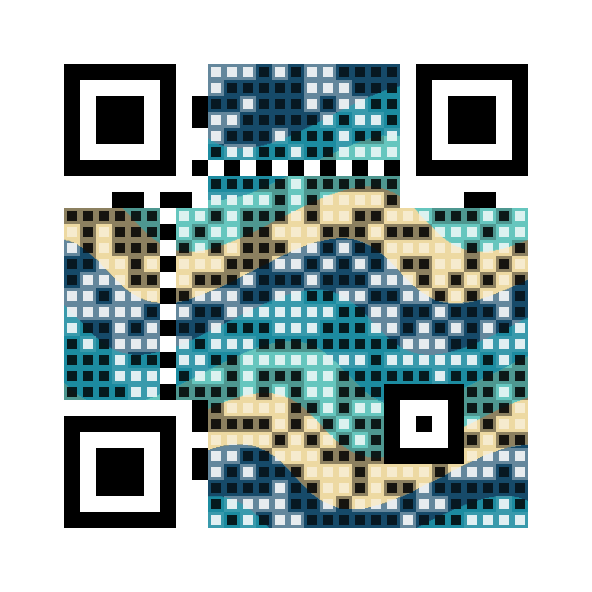
The image-composition example generates these illustrations and both treatments without an external service:
| Botanical | Sunset | Waves |
|---|---|---|
 |
 |
 |
For rounded, connected, or organic image-aware shapes, set Art. This replaces the square treatment selected by Style/CenterSize. Decorative shapes adapt to local image edges while small scan anchors stay fixed at module centers. Canvas extends the same image around the QR, preserving a uniform light quiet zone. Dark ink and light paper colors can be chosen within enforced luminance bounds.
using CodeGlyphX.Rendering;
using CodeGlyphX.Rendering.Png;

var expressive = QrArt.Compose(payload, File.ReadAllBytes("illustration.png"),
    new QrImageCompositionOptions {
        ModuleSize = 16,
        ImagePositionX = 0.7, // Align the crop toward the image's right edge.
        ImageZoom = 1.15,
        Art = new QrImageArtOptions {
            Shape = QrModuleShape.ConnectedRounded,
            DetailProtection = 0.8
        },
        Canvas = new QrImageCanvasOptions {
            PaddingModules = 10,
            PositionX = 0.25,
            PositionY = 0.8
        }
    });
expressive.SavePng("expressive-qr.png");
ImagePositionX/Y control image alignment; Canvas.PositionX/Y place the QR within the canvas. ImageZoom magnifies after fitting. With a canvas, the image fits the whole canvas rather than just the QR data area. QrOffsetX, QrOffsetY, and QrSize on the result locate the QR including its quiet zone. Validate the complete exported canvas at its delivery size.
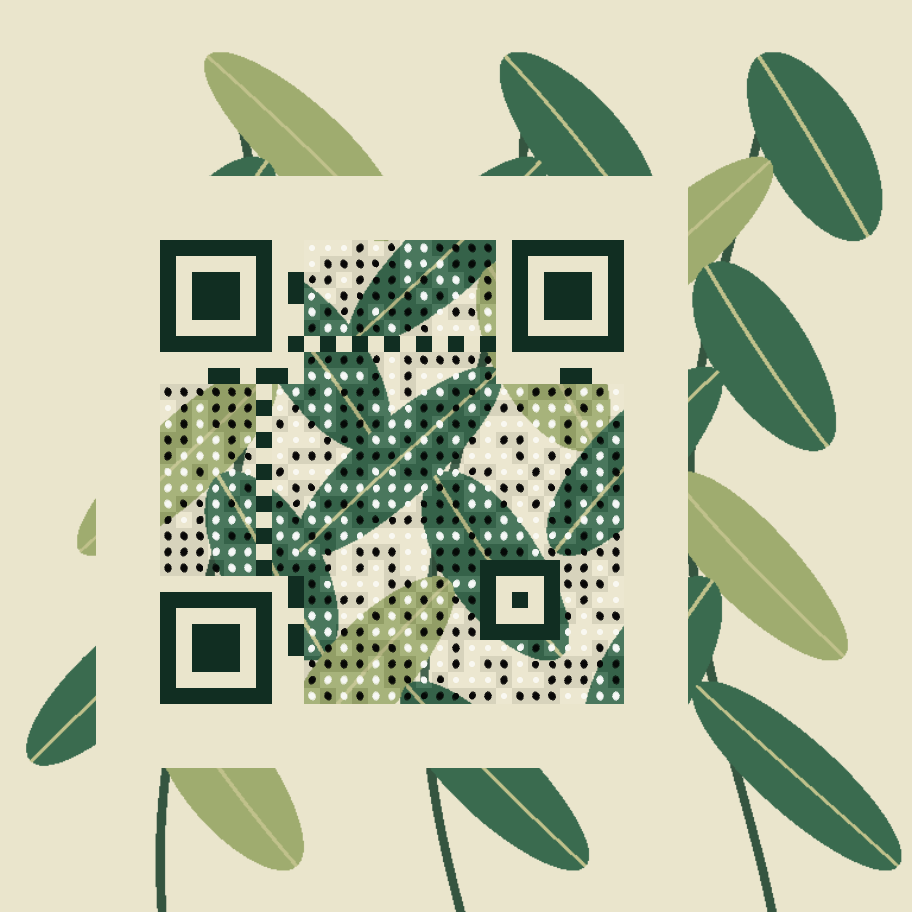
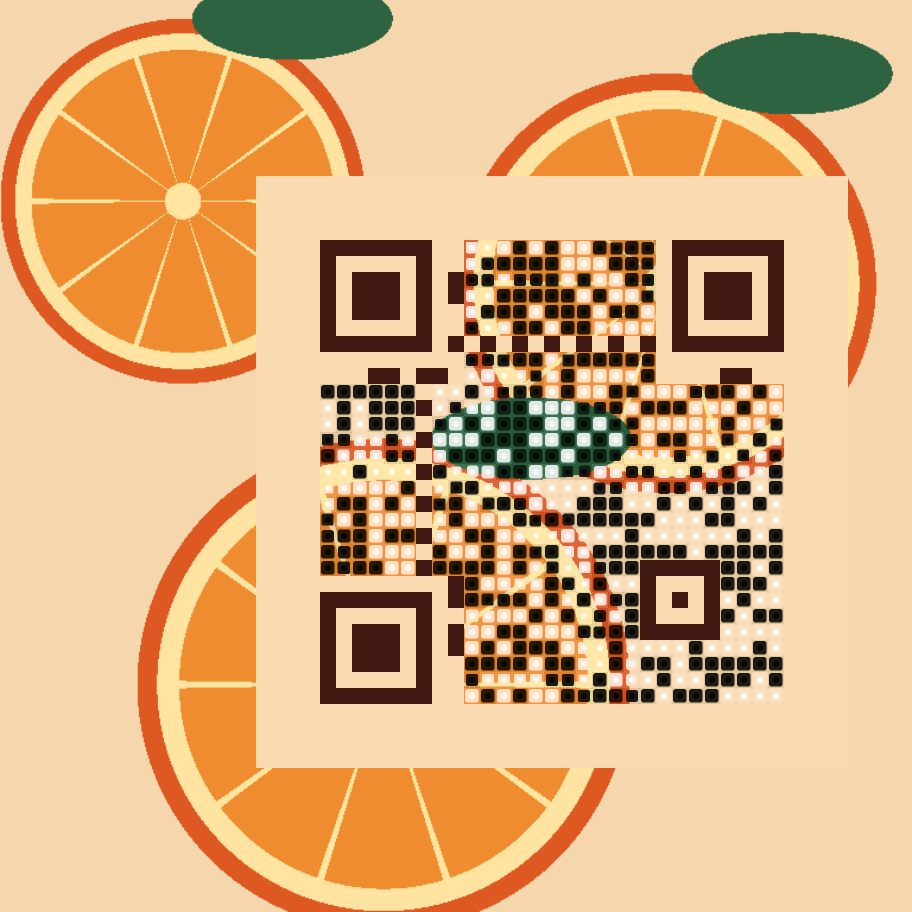
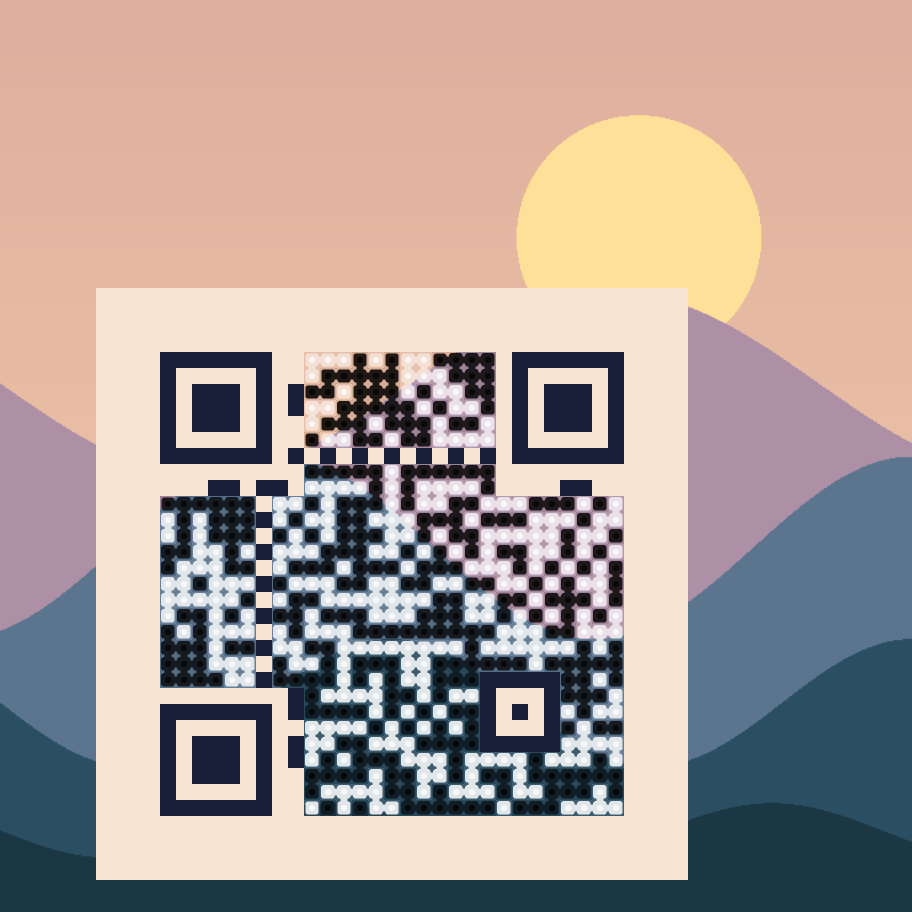
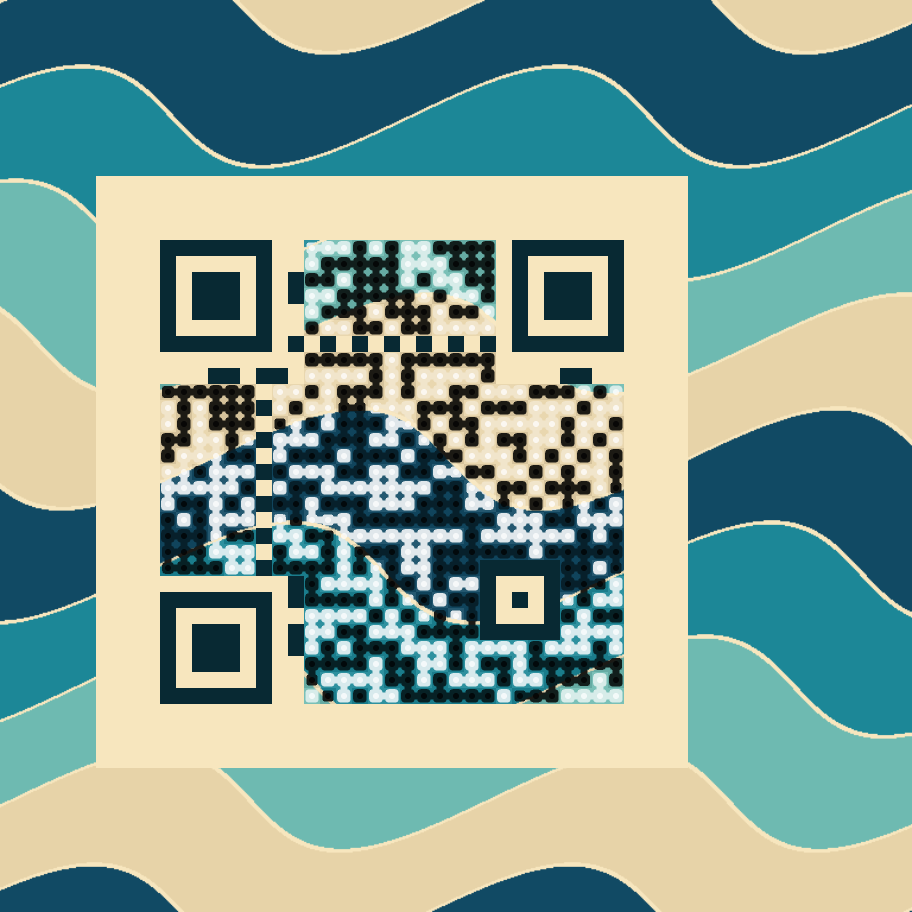
The expressive-art example produces six designs and baseline comparisons. The Earth photograph is credited to NASA; the other illustrations are drawn locally by the example.
| Botanical | Citrus | Landscape |
|---|---|---|
 |
 |
 |
| Waves | Geometric | Earth photograph |
 |
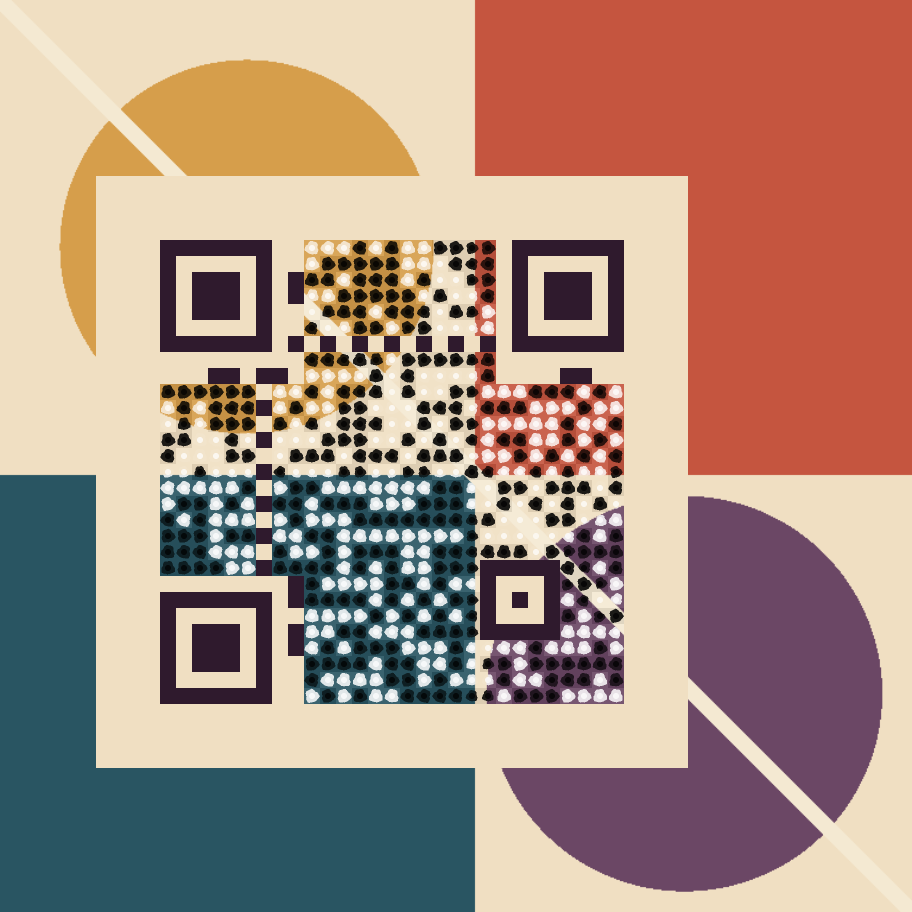 |
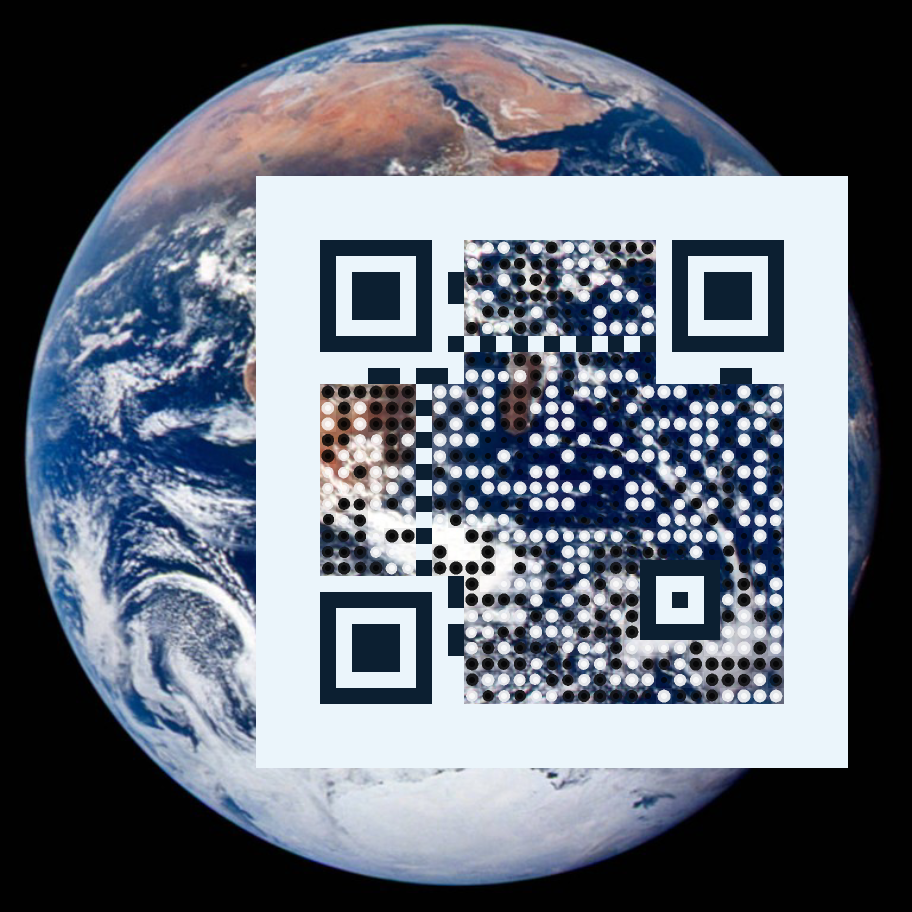 |
Canvas captions sit above or below the complete QR quiet zone. Choose ScanMePill, SpeechBubble, TicketStub, PhoneOutline, RoundedCardHeader or CornerViewfinder; each template replaces the independent canvas frame, band, badge and border so the result has one framing treatment.
var appearance = new QrRenderOptions {
    ModuleSize = 16,
    QuietZone = 4,
    Canvas = new QrCanvasOptions {
        Template = QrCanvasTemplate.ScanMePill,
        Caption = new QrCanvasCaptionOptions {
            Text = "Scan to explore",
            Position = QrCanvasCaptionPosition.Bottom,
            FontSizePx = 28,
            Weight = QrCanvasCaptionWeight.Bold
        }
    }
};
QR.Save("https://example.com", "scan-me.png", appearance);
QR.Save("https://example.com", "scan-me.svg", appearance);
PNG and canonical SVG share the same managed text outlines and pixel coverage. Captions use the embedded Scan B font by default; assign BarcodeFont.FromBytes(...) to Caption.Font for another licensed face and its supported Unicode characters. Unsupported glyphs or shaping fail clearly by default. Set Caption.Color explicitly or leave it null for contrasting template text; Canvas.Frame.Color supplies the template accent. Regular and synthetic bold weights require no installed fonts or graphics services.
Captions contain one line of at most 256 UTF-16 characters. Requested sizes are 8–256 pixels and caption padding is 4–256 pixels. Long text shrinks to fit; a line that would fall below 8 pixels is rejected. Templates reserve at least 32 pixels of canvas padding outside the quiet zone. Software decoding does not establish phone-camera or printed acceptance; the legacy native image recognizer has limited support for decorated canvases. On legacy runtimes, guarded rendering can throw a native-validation failure for these templates. Explicitly setting ArtGuardrailsEnabled = false permits rendering for separate exported-image validation; it does not certify native recognition.
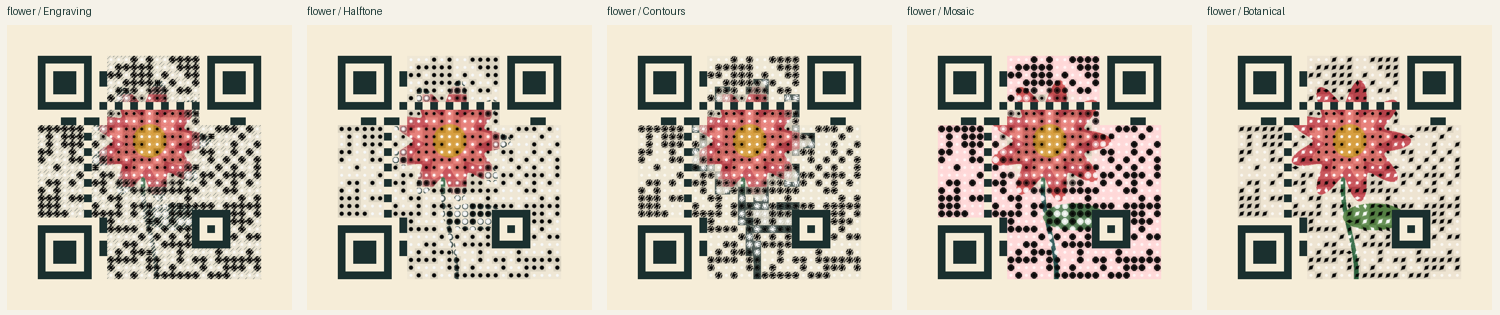
Set Art.Style to Engraving, Halftone, Contours, Mosaic, or Botanical. Print treatments use the functional ink/paper colors; protected regions retain more of the supplied image. Art.Subject selects a focal circle in source-image coordinates, or accepts a copied grayscale QrImageProtectionMask where white protects detail. The region follows crop and zoom. It does not identify faces or objects automatically.
var alternatives = QrArt.SearchImage(payload, File.ReadAllBytes("portrait.png"),
    new QrImageSearchOptions {
        Composition = new QrImageCompositionOptions {
            Art = new QrImageArtOptions {
                Style = QrImageArtStyle.Engraving,
                Subject = new QrImageSubjectOptions { X = 0.5, Y = 0.4, Radius = 0.25 }
            }
        }
    });
var selected = alternatives.Candidates[0];
selected.Image.SavePng("portrait-qr.png");
var delivery = QrArt.ValidateDelivery(selected.Image.ToPng(), payload,
    new QrImageDeliveryOptions { PrintMillimeters = 40, PrintDpi = 150 });
Search screens all eight masks at six pixels per module for each selected version and H/Q error-correction level. It renders the strongest visual candidates at the requested output size, measures their fidelity again, and checks the original, half-size and blurred exports. Results rank by passed checks, then fidelity. EvaluatedCandidates and ValidatedCandidates distinguish visual screening from actual decode attempts. A high fidelity score measures resemblance to the source, not scan reliability; inspect each candidate's Validation before selecting it.
ValidateDelivery also checks screen resizing, a requested print raster size, JPEG compression, and a perspective warp. These are observed software results: perspective recovery varies with symbol geometry, and a failed check can reflect either the artwork or decoder limitations. Raster codecs are synchronous; cancellation applies between codec operations and throughout cooperative rendering/recognition. Physical printing and phone-camera checks remain necessary. SearchImageAsync and ValidateDeliveryAsync yield between work units for browser hosts; search progress reports screened combinations.
The browser playground includes image/mask uploads, focal/crop/placement controls, ranked PNG downloads and delivery reports. Processing stays in the browser. Run the art-studio example with CODEGLYPHX_ART_STUDIO=1 to generate portrait, flower, architecture and logo illustrations with protected/unprotected comparisons across all five styles.
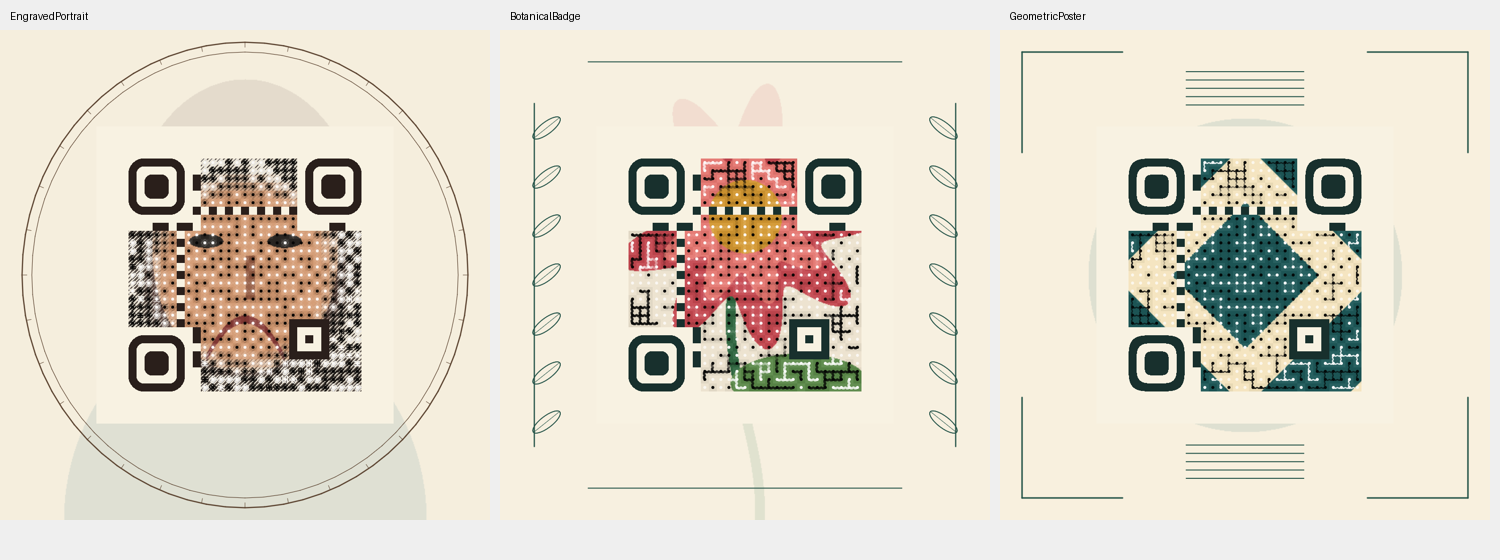
QrIllustratedComposer provides engraved portrait, botanical badge and geometric poster families. Each combines image artwork, coordinated finder frames and decorative framing outside the QR quiet zone. Ribbons and Weave connect neighboring data modules while retaining scan anchors. Art.Finders selects square, rounded or squircle frames; other functional patterns remain unchanged.
var options = QrIllustratedComposer.CreateOptions(QrIllustratedStyle.BotanicalBadge);
var alternatives = QrArt.SearchImage(payload, File.ReadAllBytes("flower.png"),
    new QrImageSearchOptions { Composition = options, ExploreLayouts = true });
var selected = alternatives.Candidates[0];
var illustrated = QrIllustratedComposer.Frame(selected.Image, QrIllustratedStyle.BotanicalBadge);
illustrated.Image.SavePng("botanical-qr.png");
illustrated.SaveSvg("botanical-qr.svg");
var checks = QrArt.ValidateImage(illustrated.Image.ToPng(), payload);
ExploreLayouts screens the configured layout plus four crop, placement and zoom variations. Each result records its selected Layout. Search remains bounded and may return failed decode checks; it does not find every possible layout or identify subjects automatically. Framing preserves the entire QR and quiet-zone rectangle, but changes the surrounding image, so validate the framed export as shown above.
SVG exports are self-contained hybrid images: framing is vector geometry and the QR artwork is an embedded PNG. Increasing SVG display size does not add detail to that raster; choose ModuleSize for the intended print size. Small or heavily reduced artistic exports may not decode. The browser studio exposes the same families, layout search and PNG/SVG downloads, and validates the final framed pixels. Its framed cards rank by those final scan results, then by the explicitly labeled unframed artwork fidelity; the score does not measure the decorative frame. Run CODEGLYPHX_ILLUSTRATED=1 with the examples project to generate all three compositions.
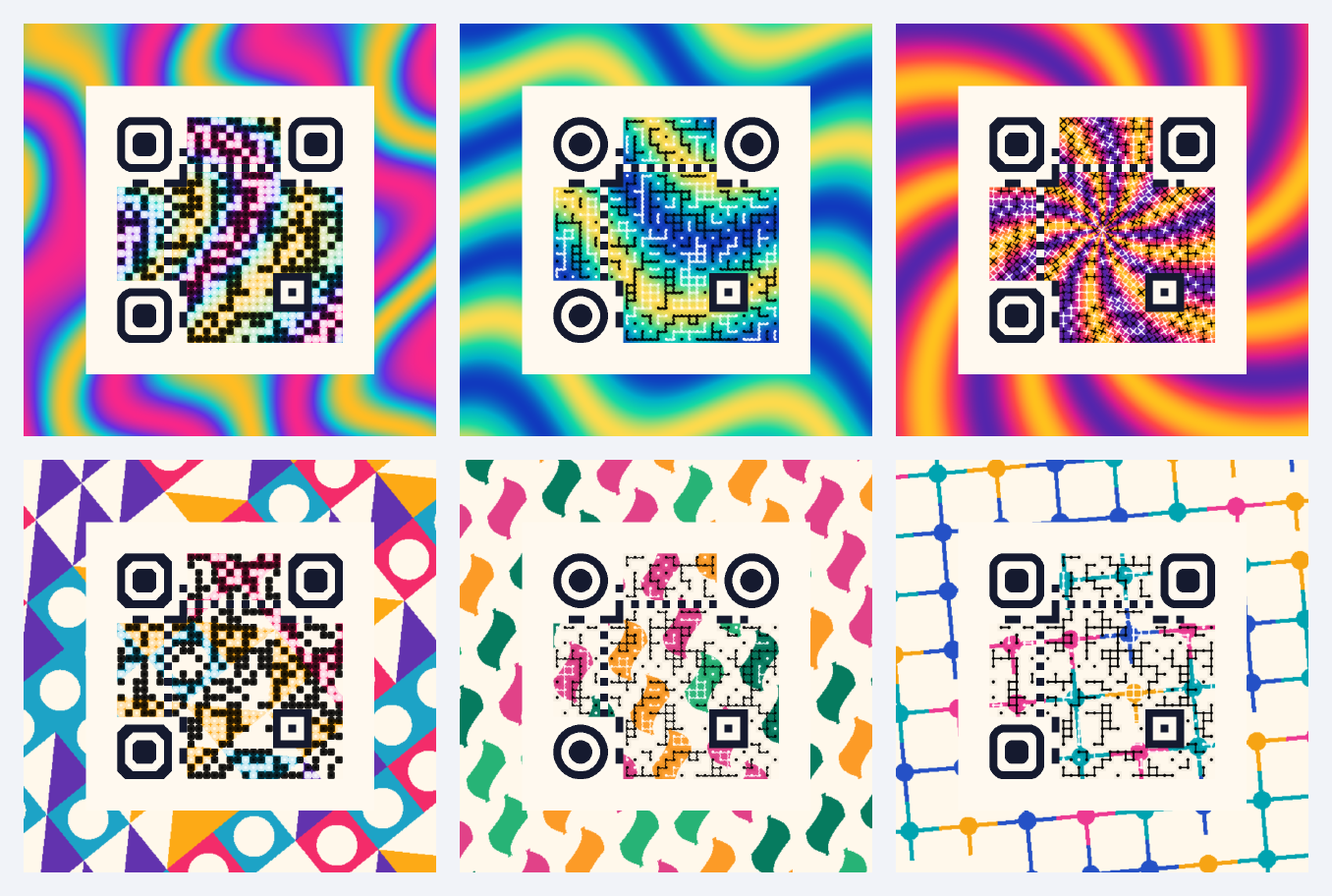
QrArt.ComposePattern creates artwork from geometry and a palette, with no source image, model, network request or graphics dependency. Choose Marble, Waves, Sunburst, Geometric, Botanical or Circuit; set the seed to reproduce the design. Pattern density, rotation, two to sixteen opaque palette colors, and the paper color are configurable. The paper color applies to the three tiled patterns.
The browser art studio starts with six colorful presets. Edit the seed, density, rotation, four palette colors and paper color, then compare alternatives. Treatment, finder frames, color strength, module scale, detail protection and export resolution are adjustable. Switch to an uploaded image for focal-region and mask controls, or add an illustrated frame for PNG and hybrid SVG exports. Each result retains its original payload for later delivery checks.
QrArtPatternPresets supplies editable palette and composition settings for each family. QrArt.RenderPatternPng renders the source artwork alone, so a preview and mask/layout search can use exactly the same pixels:
var pattern = QrArtPatternPresets.CreatePatternOptions(QrArtPattern.Marble, seed: 2026);
var composition = QrArtPatternPresets.CreateCompositionOptions(pattern.Pattern);
var sourcePng = QrArt.RenderPatternPng(pattern);
var alternatives = await QrArt.SearchImageAsync("https://example.com/art", sourcePng,
    new QrImageSearchOptions { Composition = composition });
var best = alternatives.Candidates[0];
best.Image.SavePng("marble-qr.png");
// Inspect best.Validation before distributing this export.
using CodeGlyphX;
using CodeGlyphX.Rendering.Art;
using CodeGlyphX.Rendering;
using CodeGlyphX.Rendering.Png;
var artwork = QrArt.ComposePattern("https://example.com/art",
new QrArtPatternOptions {
Pattern = QrArtPattern.Circuit,
Seed = 2026,
Scale = 1.2,
RotationDegrees = 15,
Colors = new[] { new Rgba32(20, 180, 200), new Rgba32(235, 40, 140) }
},
new QrImageCompositionOptions {
ModuleSize = 18,
Strength = 0.95,
Canvas = new QrImageCanvasOptions { PaddingModules = 8 },
Art = new QrImageArtOptions {
Style = QrImageArtStyle.Circuit,
Finders = QrImageFinderStyle.Chamfered
}
});
artwork.SavePng("circuit-qr.png");
var checks = QrArt.ValidateImage(artwork.ToPng(), "https://example.com/art");Circuit joins matching neighboring data modules with angular traces and small junctions. CrossStitch draws diagonal thread pairs. Both work with uploaded images through the existing image composer as well as procedural patterns. Art.Finders also accepts Circular and Chamfered; the other functional patterns and uniform light quiet zone retain their protection. Existing enum values keep their numeric values.
The procedural-art example produces the six gallery designs and their PNG exports. Run it with CODEGLYPHX_PROCEDURAL_ART=1; CODEGLYPHX_OUTPUT_DIR selects the output folder. Each export checks the exact URL at its original size, half size and after light blur. These examples use 18 pixels per module, leaving nine after the half-size check. Busy art can lose readability at smaller sizes: validate the actual export and target devices before distributing it. Rendering is available on all supported targets; these scan checks use the modern .NET decoder, since the legacy image recognizer has limited art support. The gallery is a visual overview; use the individual exports for scanning.
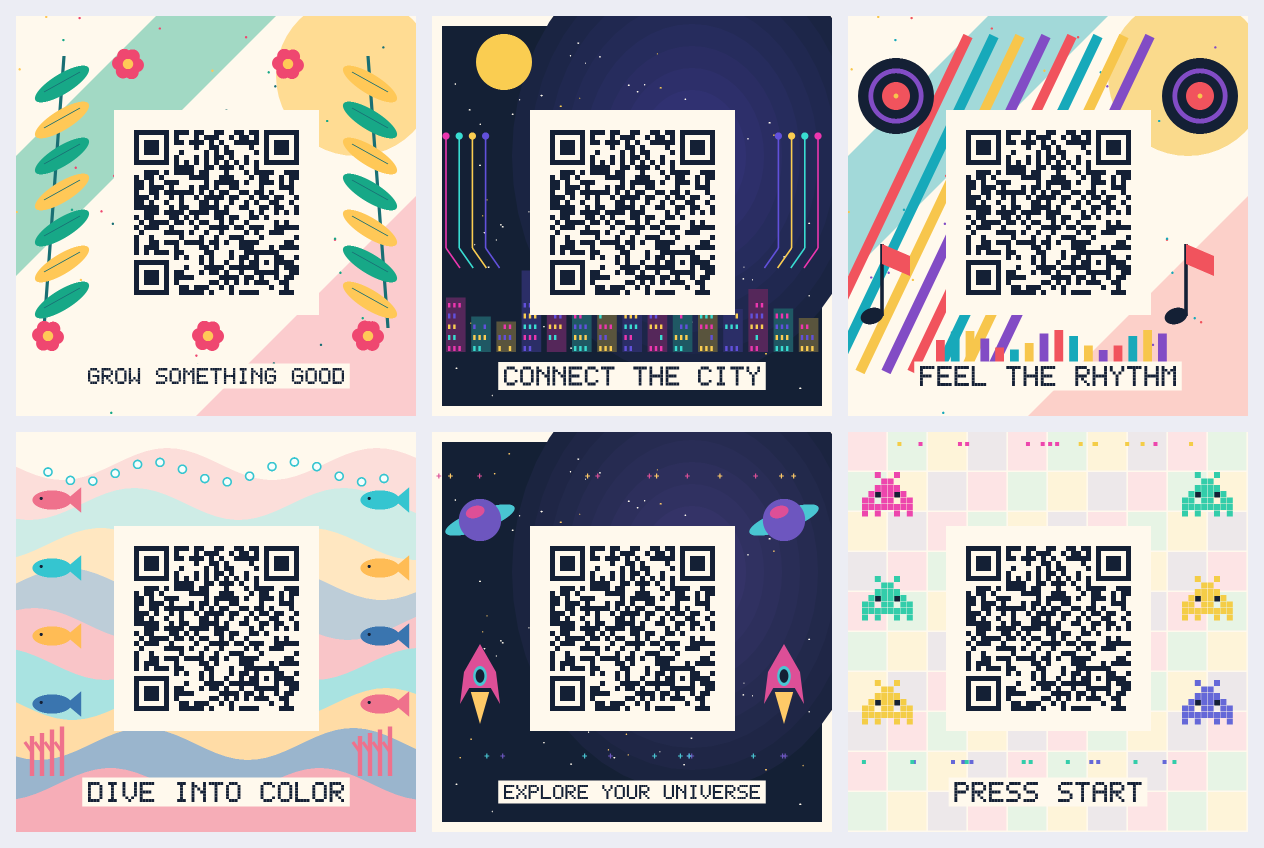
QrArt.ComposeScene draws complete posters from seeded geometry. Each scene has five editable layers: backdrop, illustrations, QR, caption and an optional logo. Move, scale, rotate or hide decorative layers; QR rotation uses quarter turns. The QR renders above the artwork with protected functional patterns and a complete four-module quiet zone. Placement that clips the QR is rejected.
using CodeGlyphX;
using CodeGlyphX.Rendering.Art;

var design = QrScenePresets.Create(QrSceneStyle.OceanReef, size: 1200);
design.Seed = 2026;
design.Caption = "DIVE INTO COLOR";
design.Motifs.RotationDegrees = 10;
var scene = QrArt.ComposeScene("https://example.com/scenes", design);
scene.SavePng("ocean-qr.png");
scene.ToRecipe().Save("ocean-design.cgxart");

var recipe = QrSceneRecipe.FromXml(File.ReadAllText("ocean-design.cgxart"));
QrArt.ComposeScene(recipe.Payload, recipe.Design).SavePng("ocean-reopened.png");
The browser art studio's Illustrated scene source offers six presets, palette and layer controls, logo upload, undo/reset, and recipe save/load. Downloaded results retain the payload and design used to render them. Editing controls does not change a completed export.
Recipes are versioned local XML documents capped at 2 MiB of text. They copy settings and any embedded logo, preserve UTF-8 payloads including control characters, and reject DTDs, external resources and unknown fields. Logo input is limited to 1 MiB and one million decoded pixels. Captions use the portable outlined font: Latin letters, digits, spaces and -./:()+?; lowercase letters render as capitals. Paper and QR ink must meet the documented light/dark luminance limits.
Run the scene-gallery example with CODEGLYPHX_SCENE_GALLERY=1 to export all six scenes, thumbnails and recipes. CODEGLYPHX_OUTPUT_DIR selects the output folder. Check the actual PNG with QrArt.ValidateImage and qualify delivery sizes and target devices before distribution; these software checks do not certify physical printing or phone cameras.
Finished scenes export illustration polygons and caption outlines to SVG. QR contours follow the canonical PNG renderer's pixel reference grid, including connected modules and protected functional patterns. They remain vector paths at any zoom; fine contour steps reflect the selected reference resolution. Uploaded logos are normalized to bounded embedded PNGs. SVGs contain no external image or font references.
var print = scene.Export(new QrSceneExportOptions {
    WidthMillimeters = 100,
    Dpi = 300,
    PngCompressionLevel = 6
});
File.WriteAllBytes("scene-print.png", print.ToPng());
File.WriteAllText("scene-vector.svg", print.ToSvg());
File.WriteAllBytes("scene-print.pdf", print.ToPdf());
print.Scene.ToRecipe().Save("scene-print.cgxart");

var delivery = new QrImageDeliveryOptions { ScreenSize = 320, PrintMillimeters = 100, PrintDpi = 300 };
var report = QrArt.ValidateDelivery(print.ToPng(), print.Scene.Payload, delivery);
var selected = QrArt.SearchScene(print.Scene.Payload, print.Scene.Design,
    new QrSceneSearchOptions { MaxCandidates = 6, Delivery = delivery });
// selected.Best.Validation retains failed checks when no candidate passes them all.
Physical width (10–200 mm) and resolution (72–600 DPI) must produce a rounded 256–4096 pixel canvas. The export renders a fresh QR grid at that size. PNG records DPI as nearest-integer pixels per meter; physical size therefore has normal pixel and metadata rounding. Compression changes file size while preserving decoded pixels. PDF embeds the finished RGB artwork on a page of the stated physical dimensions; it is a raster PDF.
Delivery selection encodes the payload once and tries the original QR, two larger placements, and optional square data modules, stopping at the configured candidate limit or a complete pass. Equal scores keep the earlier design. Candidates with too few pixels per module or a clipped quiet zone are rejected; enlargement can recover a design that cannot initially render on a smaller grid. If no candidate can render within the limit, search throws an ArgumentException. The payload, illustrations, palette and seed are retained. The browser's Print and delivery panel offers these controls, a preview of the selected export, and downloads tied to the completed payload. Its report includes the exact PNG hash.
The delivery report checks the original, half-size, blur, requested screen width, print raster size, JPEG compression and perspective against the exact payload. It reports observed successes and failures within a recognition budget. It does not certify SVG/PDF viewer behavior, phones, cameras, paper, ink or printers. Qualify those final files independently at their actual delivery size. Use the physical qualification sheet to record that evidence.
Run the scene-delivery example with CODEGLYPHX_SCENE_DELIVERY=1 to export all six presets as physically sized PNG, SVG and PDF, with matching recipes and delivery observations.
QrCodeEncoder.EncodeText selects the smallest combination of numeric, alphanumeric, byte, and Kanji segments. UTF-8 ECI is emitted automatically when non-ASCII byte data needs it; QrEncodingOptions can force or suppress ECI and segment optimization.
QrCode unicode = QrCodeEncoder.EncodeText("Zażółć gęślą jaźń 😀");

QrCode gs1 = QrCodeEncoder.EncodeGs1(
    "010590123412345710ABC123\u001D2112345");

QrCode[] sequence = QrCodeEncoder.EncodeStructuredAppend(new[] {
    "ORDER-2026-",
    "LINE-0001",
    "LOT-ABC123"
});
Use \u001D between variable-length GS1 element strings. Structured append accepts two through sixteen explicit text or binary parts, computes the shared XOR parity, and exposes one-based QrStructuredAppend metadata after decoding. FNC1 second position and its 8-bit application indicator are available through QrEncodingOptions for industry-specific applications.
The historical square ECC 200 default remains unchanged. DataMatrixEncodingOptions can instead select the six original rectangular models, any of the eighteen ISO/IEC 21471 DMRE models, the smallest symbol across all families, or an exact supported size. Automatic encodation plans mixed ASCII, C40, Text, X12, EDIFACT, and Base256 runs rather than forcing the entire payload into one mode.
using CodeGlyphX.DataMatrix;

var compact = DataMatrixCode.Encode(
    "HELLO-UPPERCASE-lowercase-1234567890",
    new DataMatrixEncodingOptions { Shape = DataMatrixShape.Any });

var dmre = DataMatrixCode.Encode(
    "LOT-2026-0042",
    new DataMatrixEncodingOptions { Shape = DataMatrixShape.Dmre });

var exact = DataMatrixCode.Encode(
    "A",
    new DataMatrixEncodingOptions { Rows = 12, Columns = 88 });
GS1/FNC1, ECI, Macro 05/06, Reader Programming, and Data Matrix structured append are first-class controls. A structured-append file identifier consists of two values in the standard 1..254 range.
string elementString = "0109501101020917\u001D10LOT42";
var gs1 = DataMatrixCode.EncodeGs1(elementString);

var sequence = DataMatrixCode.EncodeStructuredAppend(
    new[] { "ORDER-2026", "LINE-0001", "LOT-ABC123" },
    fileId1: 7,
    fileId2: 9);

if (DataMatrixDecoder.TryDecodeDetailed(gs1.Modules, out DataMatrixDecoded decoded)) {
    Console.WriteLine($"GS1: {decoded.IsGs1}; model: {decoded.Rows}x{decoded.Columns}");
}
TryDecodeDetailed is available for module matrices and pixel buffers; DataMatrixCode.TryDecodePngDetailed preserves the same control metadata when decoding PNG input. Plain TryDecode continues to return only the reconstructed text.
AztecCode.Encode(string) uses Latin-1 when the text fits, otherwise UTF-8 with ECI 26. Set AztecEncodeOptions.TextEncoding or EciAssignmentNumber for another supported character set. For byte input, EciAssignmentNumber describes the bytes supplied by the caller. Unsupported ECI assignments are rejected during text decoding rather than silently interpreted as Latin-1.
Gs1ApplicationIdentifierCatalog is generated from the GS1 Barcode Syntax Dictionary release 2026-01-27. It expands all assigned ranges into 541 directly addressable AIs and exposes titles, data components, separator rules, association/exclusion rules, and GS1 Digital Link metadata.
using CodeGlyphX;
using CodeGlyphX.Gs1Data;

Gs1ApplicationIdentifier lot =
    Gs1ApplicationIdentifierCatalog.Get("10");

Console.WriteLine($"{lot.Title}: {lot.Format}");
Console.WriteLine($"Dictionary: {Gs1ApplicationIdentifierCatalog.Release}");
Use Gs1.Validate when conformance matters. It accepts bracketed syntax and raw element strings, returns every parsed element and actionable issue in one pass, and applies all semantic rules referenced by this dictionary release—including check digits, dates and times, code lists, IBAN, AI associations, and coupon formats.
const string message =
    "(01)09506000134352(10)ABC123(17)240101";

Gs1ValidationResult validation = Gs1.Validate(message);
if (!validation.IsValid) {
    foreach (Gs1ValidationIssue issue in validation.Issues) {
        Console.WriteLine(issue);
    }
}

string elementString = Gs1Validator.ToElementString(message);
var dataMatrix = DataMatrixCode.EncodeGs1(elementString);
Gs1.ElementString remains the compatibility-oriented separator builder used by existing encoders: it accepts expert-defined and legacy fields. Gs1.Validate, Gs1.TryValidate, and Gs1Validator.ToElementString are the strict entry points for standards-sensitive workflows.
The same catalog and semantic validator power the uncompressed GS1 Digital Link URI Syntax 1.6.0 engine. It parses custom or reference URI stems, keeps key qualifiers in the standards-defined path order, validates GS1 query attributes, retains non-GS1 extension parameters, and produces a canonical https://id.gs1.org URI.
Gs1DigitalLinkUri parsed = Gs1DigitalLink.Parse(
    "https://brand.example/01/09520123456788/10/ABC1/21/12345?17=180426");

Console.WriteLine(parsed.PrimaryIdentifier); // (01)09520123456788
Console.WriteLine(parsed.CanonicalUri);
Console.WriteLine(parsed.ToElementString());

Gs1DigitalLinkUri canonical = Gs1DigitalLink.BuildCanonical(new[] {
    Gs1Element.Create("01", "09520123456788"),
    Gs1Element.Create("10", "ABC1"),
    Gs1Element.Create("21", "12345"),
    Gs1Element.Create("17", "180426")
});
URI compression and online resolver behavior are separate GS1 standards; this API deliberately implements the uncompressed URI syntax without network access.
The industrial codecs expose detailed symbols and decoded metadata while still participating in the unified module-matrix facades:
RmQrCode rackLabel = RmQrCodeEncoder.EncodeText("RACK-A17-BIN-04");
MaxiCodeSymbol shipment = MaxiCodeEncoder.EncodeText("SHIPMENT-2026-0042");
DotCodeSymbol trace = DotCodeEncoder.EncodeGs1("(01)09506000134352(21)ABC123");
HanXinSymbol hanXin = HanXinEncoder.EncodeText("物流-2026-0042");

Barcode1D limited = BarcodeEncoder.Encode(
    BarcodeType.GS1DataBarLimited,
    "1234567890123");

Gs1CompositeSymbol composite = Gs1CompositeEncoder.Encode(
    linearText: "(01)09506000134352",
    compositeText: "(21)ABC123");
GS1 Composite pairs GS1-128 with CC-A, CC-B or CC-C, and EAN-13, EAN-8, UPC-A, UPC-E and the seven DataBar carriers with CC-A or CC-B. It supports general-field, date/lot and AI 90 compaction. Gs1CompositeComponents encodes or decodes a standalone component; generic decode metadata distinguishes it from a linked label. See linked carrier inputs and decoding. Han Xin text outside its native compact modes is encoded as binary data with UTF-8 ECI; native GB18030 region compaction is not yet implemented.
CodeOneEncoder supports fixed versions A-H, S-10/S-20/S-30 and T-16/T-32/T-48, or automatically selects the smallest A-H size. CodeOneDecoder and SymbolScanner recover payloads and version metadata. Version S stores an integer, so leading zeros are not recoverable; its decoded result exposes the numeric value. Text encoding supports Latin-1 and explicit ECI, with UTF-8 selected for other Unicode text. Compaction includes ASCII, C40, Text, EDI, byte and decimal modes.
rMQR, MaxiCode, DotCode, Han Xin and GS1 Composite support image recognition through SymbolScanner. Code 16K, Code 49, Codablock F, MicroPDF417, linked PosiCode rows, D3 AQR and postal bar states use the same scanner and result model. Their samplers preserve payload checks and structural metadata, handle right-angle rotations and inversion, and return one result per format. A bounded deskew pass handles modest in-plane rotation; arbitrary perspective and exhaustive multiple-symbol localization are not established for these specialist samplers.
GS1 DataBar Limited and Omnidirectional participate in the linear image scanner. Expanded Stacked, Stacked and Stacked Omnidirectional recognize rows in either image axis and validate their checksums and separator layout. SymbolCapabilities reports each format's multiple-result and geometry support. Direct-part-mark preprocessing is opt-in:
ScanResult scan = SymbolScanner.Scan(image, new ScanOptions
{
    Formats = new[] { SymbolFormat.DataMatrix },
    DirectPartMarking = DirectPartMarkOptions.LaserEtch()
});
The DPM profiles improve local contrast or reconnect dot-peen marks before recognition. They do not grade print quality, certify ISO/IEC 29158 compliance, or replace validation with the actual marking process and scanners used in production.
byte[] image = File.ReadAllBytes("qrcode.png");

if (QrImageDecoder.TryDecodeImage(
        image,
        QrPixelDecodeOptions.Screen(budgetMilliseconds: 500, maxDimension: 1600),
        out var result)) {
    Console.WriteLine(result.Text);
}
Use SymbolScanner when the application needs one coherent result model across QR, Micro QR, barcodes, Data Matrix, PDF417, and Aztec:
var scan = SymbolScanner.Scan(image, ScanOptions.Screen(
    timeoutMilliseconds: 500,
    maxDimension: 1600));

foreach (var symbol in scan.Symbols)
{
    Console.WriteLine($"{symbol.Format}: {symbol.Text}");
}
ScanOptions.TimeoutMilliseconds is a total wall-clock deadline covering compressed-image decoding, pixel conversion, and recognition. Decoder cancellation remains cooperative, so it is not a hard real-time guarantee. Use ScanOptions.Formats and ScanOptions.Region to avoid work the application does not need.
Micro QR can also be recognized directly from RGBA/BGRA pixels or an encoded image. The detailed overload reports the detected quadrilateral, rotation, polarity, and mirroring state:
if (MicroQrDecoder.TryDecodeImage(
        image,
        out MicroQrDecoded micro,
        out MicroQrPixelDecodeInfo recognition)) {
    Console.WriteLine($"{micro.Text} at {recognition.Geometry.Bounds}");
}
Raw camera or interop buffers can be passed without an image-codec dependency:
var frame = new ImageFrame(
    pixels,
    width,
    height,
    stride,
    PixelFormat.Gray8);

ScanResult scan = SymbolScanner.Scan(frame, new ScanOptions
{
    Formats = new[] { SymbolFormat.QrCode, SymbolFormat.DataMatrix }
});
ImageFrame accepts RGBA/BGRA, RGB/BGR24, ARGB/ABGR, Gray8/Gray16, and RGB565 buffers, including padded stride and bottom-up row order. The generated symbol capability table distinguishes encoding, module decoding, and image recognition for every format.
For raw collation marks, supply the known data area and cell count. The region excludes quiet zones and captions; its white edge cells remain part of the message:
var marks = SymbolScanner.Scan(image, new ScanOptions {
    Formats = new[] { SymbolFormat.Flattermarken },
    Region = new ImageRegion(x, y, dataWidth, dataHeight),
    SamplingGrid = new ImageSamplingGrid(columns: digitCount * 9, rows: 1)
});
SamplingGrid requires one explicit format. Its optional rotationDegrees argument describes a known clockwise quarter turn. Use it when the same unchecked DAFT, KIX or Pharmacode pattern could represent different messages in different orientations. Automatic format selection excludes raw and weak patterns; an explicit format hint alone cannot recover a Flattermarken cell origin or blank digits already cropped from an image.
For untrusted raster inputs, set explicit resource limits:
using CodeGlyphX.Rendering;

var limits = ImageDecodeOptions.Strict(
    maxBytes: 8 * 1024 * 1024,
    maxPixels: 8_000_000,
    maxDimension: 1600);

byte[] rgba = ImageReader.DecodeRgba32(image, limits, out int width, out int height);
Limit semantics are deliberate:
MaxBytesandMaxPixels:nulluses the correspondingImageReaderglobal;0disables that per-call limit.MaxDecodedBytes: caps each decoded pixel or raster working buffer and the total retained animation frame pixels. The global default is 256 MiB. Encoded input copies, codec metadata, total process memory and cumulative allocations are outside this limit.nullinherits the global;0disables it.GuardedandStrictderive a decoded byte limit of 16 bytes per permitted pixel, capped at 256 MiB. SetMaxDecodedBytesexplicitly when a legal codec buffer, such as a padded TIFF tile, needs more room. PDF filters also reject output larger than the declared raster requires.MaxDimension: codecs validate the original dimensions first, then the single-image RGBA result is resized. It is not a codec-memory limit.RecognitionBudgetMilliseconds: applies to specialist barcode/matrix recognition after raster decoding. UseScanOptions.TimeoutMillisecondsfor one deadline across image decoding and all selected symbol families.ImageReader.LimitViolation: reports guard failures for telemetry.
Use SymbolScanner.Scan, ScanFile or stream/file async variants to select formats and apply a timeout to the complete scan. CompletionReason distinguishes completion, a symbol limit, cancellation and a deadline while retaining partial results. Format-specific information is exposed through typed Metadata; HasRawBytes indicates whether exact decoded bytes are available.
See SECURITY.md for reporting and FUZZING.md for the bounded decoder harness.
| Target | Intended use | Package dependencies |
|---|---|---|
net8.0 |
Current applications, full QR pixel pipeline, trimming/NativeAOT | None |
net10.0 |
Current applications, full QR pixel pipeline, trimming/NativeAOT | None |
netstandard2.0 |
Legacy-compatible libraries | System.Memory, System.Text.Encoding.CodePages |
net472 |
.NET Framework applications | System.Memory, System.Text.Encoding.CodePages |
The package is pure managed on every target. QR image decoding on netstandard2.0 and net472 uses a less capable fallback intended for clean/generated images; use net8.0 or newer for screenshots, stylized codes, and the full pixel pipeline.
CI builds and tests Windows, Linux, and macOS; builds the complete solution on Windows; packs and inspects the NuGet and symbol packages; and publishes and executes a net8.0 NativeAOT consumer.
ImageReader.DecodeRgba32returns the first frame for GIF and WebP. Use the animation APIs for multiple frames.- Managed WebP supports VP8/VP8L still images. Unsupported VP8 animation interframes fail decoding; the library does not fabricate a transparent or repeated frame.
- PDF raster decoding is intentionally limited to supported embedded-image cases; PDF is primarily an output format.
- PSD decoding is limited to flattened 8-bit grayscale/RGB raw or RLE image data.
Version 2 removes the obsolete per-format method explosion and duplicate facades. Use generic Render(..., OutputFormat) and extension-based Save(...) APIs. It also makes decode-limit inheritance explicit, collapses QR decoding to one cooperative budget, and replaces unprovable “safe” claims with honest heuristic and guardrail terminology.
See the 2.0 migration guide for mappings and behavioral changes.
dotnet build CodeGlyphX.sln -c Release
dotnet test CodeGlyphX.Tests/CodeGlyphX.Tests.csproj -c Release -f net8.0
dotnet test CodeGlyphX.Tests/CodeGlyphX.Tests.csproj -c Release -f net10.0
dotnet pack CodeGlyphX/CodeGlyphX.csproj -c Release -o artifacts/packages
./Build/Assert-Package.ps1 -PackageDirectory artifacts/packages
Run the examples with:
dotnet run --project CodeGlyphX.Examples -c ReleaseCodeGlyphX is licensed under the Apache License 2.0. See third-party notices for incorporated standards resources.