


Chrome DevTools for your .NET MAUI app. Inspect and live-edit the visual tree, mock and intercept HTTP traffic, and push the same edits to several devices at once — from a web panel in your desktop browser, with an on-device overlay as the fallback when you have no laptop at hand.
Everything runs inside your app: no IDE integration, no proxy, no certificates.
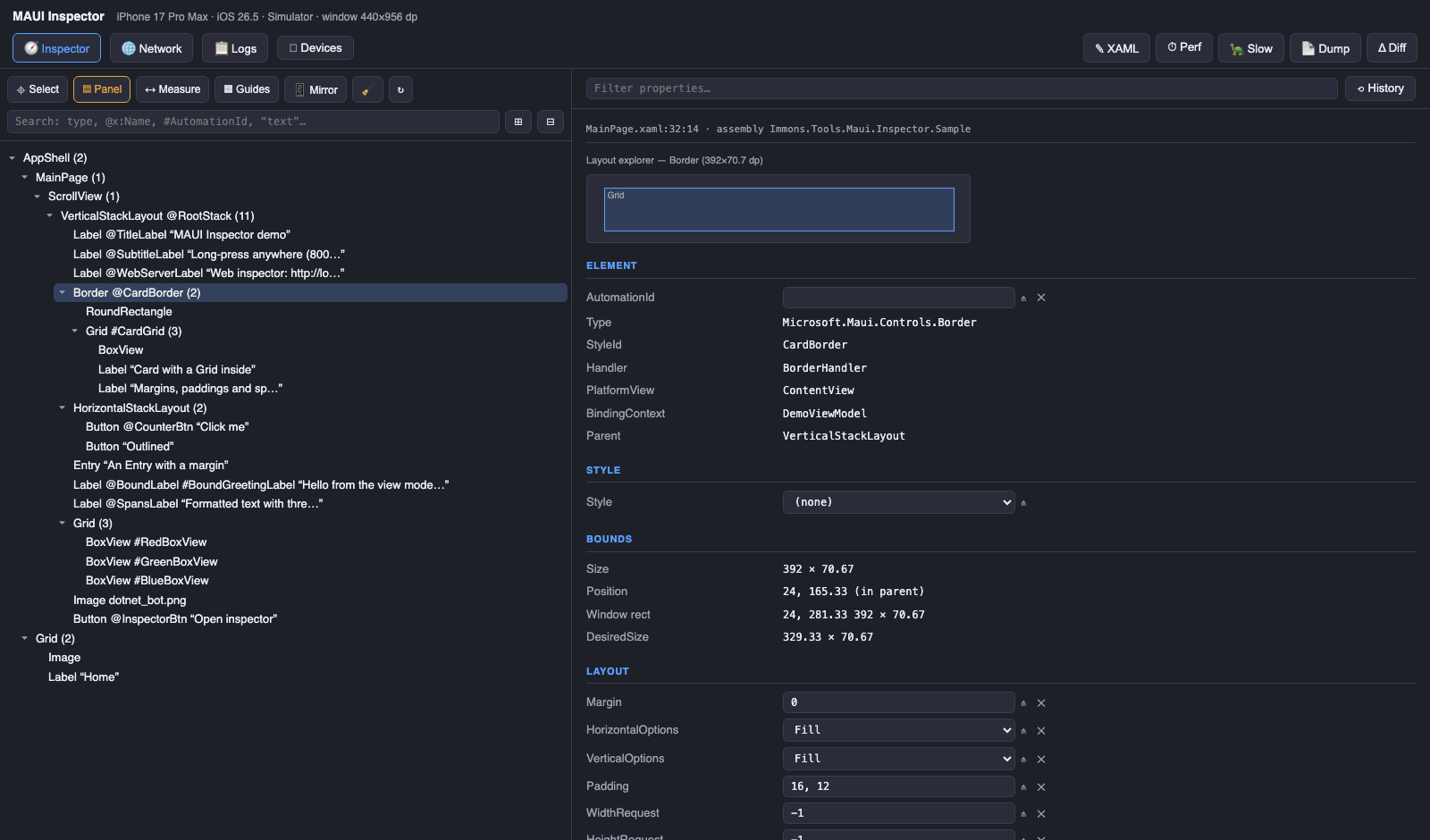
- Inspect & edit the live visual tree — box model, properties, styles, spans, grids,
{Binding}/{StaticResource}/{OnPlatform}— with every change written back to your XAML if you want it. - Edit the structure, WYSIWYG-style — drag controls from a toolbox onto the live mirror, add / remove / reorder / reparent / wrap / unwrap / copy-paste elements with undo & redo, and it all lands in your
.xamlfiles as real markup (details). - Intercept HTTP — record traffic with bodies, mock it with rules and scenarios, record a whole flow and replay it offline, or pause a call at a breakpoint and edit it.
- Find leaks — a Memory view with live readings, leak snapshots (which pages, views and view models outlived their window, with the MAUI-specific evidence) and one-click heap dumps through
dotnet-gcdump, root paths included (details). - Design like in a designer — snap lines, alignment pins, a drag-to-resize grid designer, style extraction, an editable resources browser, a live XAML preview of the selection — and a design cookbook: the app's colors, fonts, styles, controls, images and templates as live samples, with a before/after diff of what a style edit changed (details).
- Drive several devices at once — one panel updates the same app on every connected simulator, emulator or phone, and the header's device picker inspects any of them from a single portal.
<!-- Debug-only reference keeps the inspector out of release builds entirely -->
<PackageReference Include="Immons.Tools.Maui.Inspector" Version="0.9.18" Condition="'$(Configuration)' == 'Debug'" />
Then two lines in MauiProgram.cs:
using Immons.Tools.Maui.Inspector;

#if DEBUG
builder.UseMauiInspector(options => options.EnableWebServer = true);
#endif
Run the app and open the URL it prints — the panel is served by the app itself:
[MauiInspector] web inspector listening on http://localhost:9295/
Targets net10.0-ios, net10.0-android and net10.0-windows (plus a no-op net10.0), MIT licensed.
Four optional companion packages (XAML write-back, SQLite storage, heap-dump diagnostics, markup
extensions) are listed in Getting started.
The full guide is in the wiki.
| Page | What is in it |
|---|---|
| Getting started | Packages, the two-line setup, options, manual control |
| The web panel | The panel's views and toolbars, and the on-device overlay |
| Inspecting | The tree, the box model, the property sheet, live edits |
| Styles & resources | Extract style, the editable Resources popup, the design cookbook |
| WYSIWYG editor | Structure editing, the toolbox, snap lines and the grid designer |
| Sync tool | maui-inspector-sync: XAML write-back, heap dumps, device port forwarding |
| Network & HTTP mocking | Recording, mock rules, scenarios, breakpoints, offline replay |
| Memory & leaks | Live readings, leak snapshots, heap dumps with root paths |
| Multi-device | One panel driving several simulators, emulators and phones |
| UI tests | Maestro and Appium: AutomationIds, mocks and a leak gate |
| HTTP API | Every endpoint the panel itself uses |
| Reference | Platforms, options, storage, how it works, troubleshooting, limitations |
MIT — see LICENSE.