
🎮 World of Warcraft custom UI
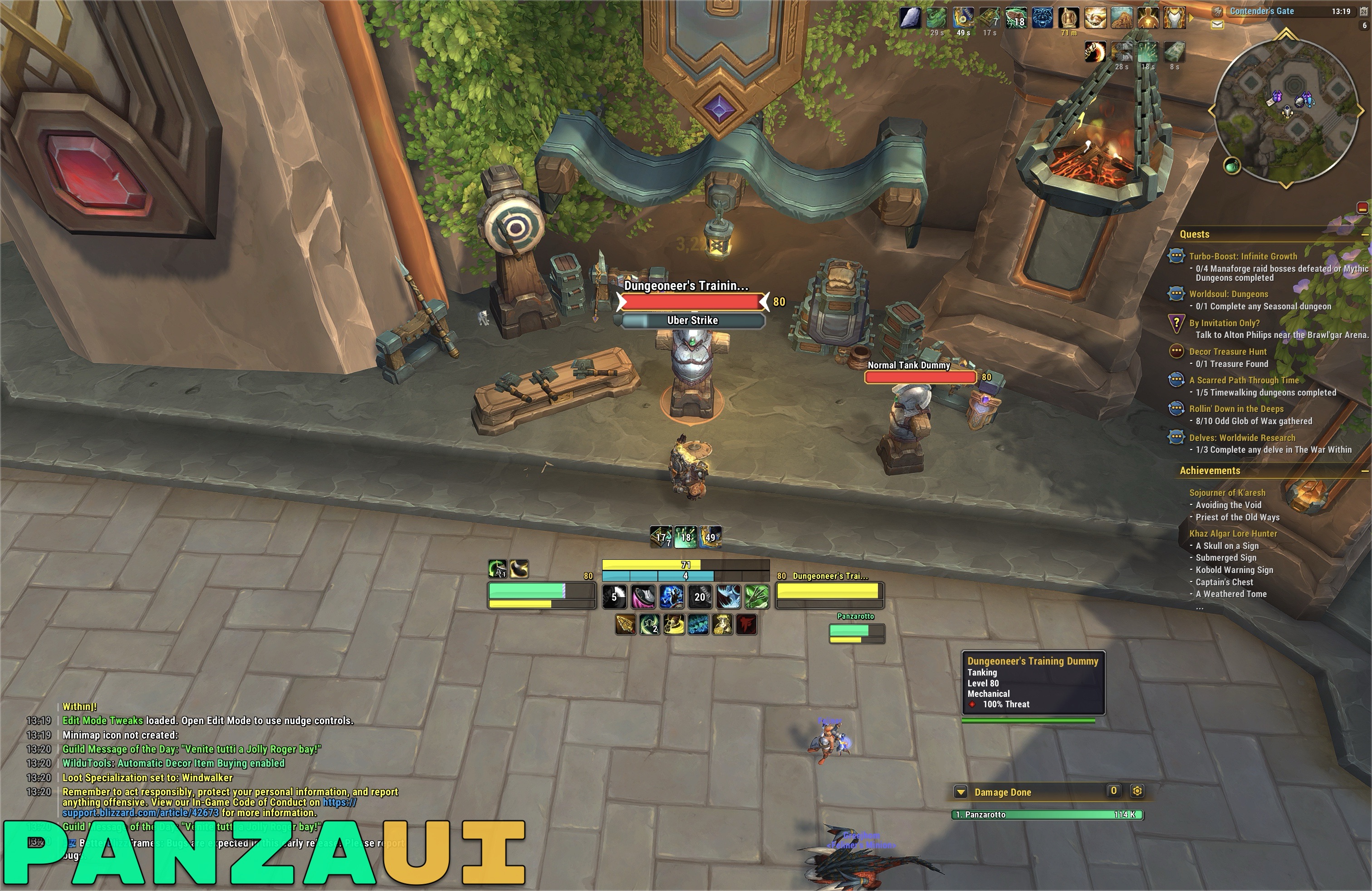
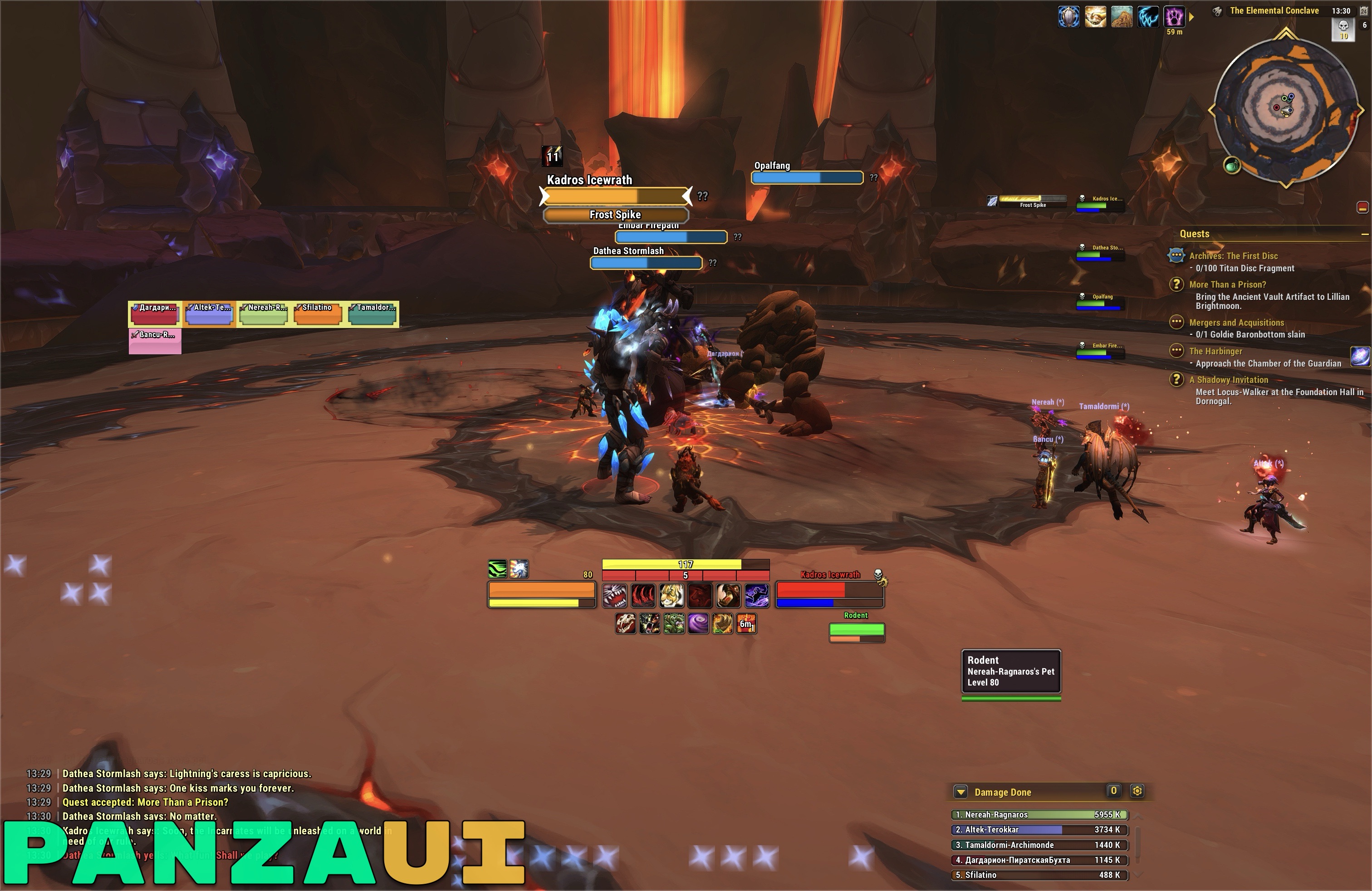
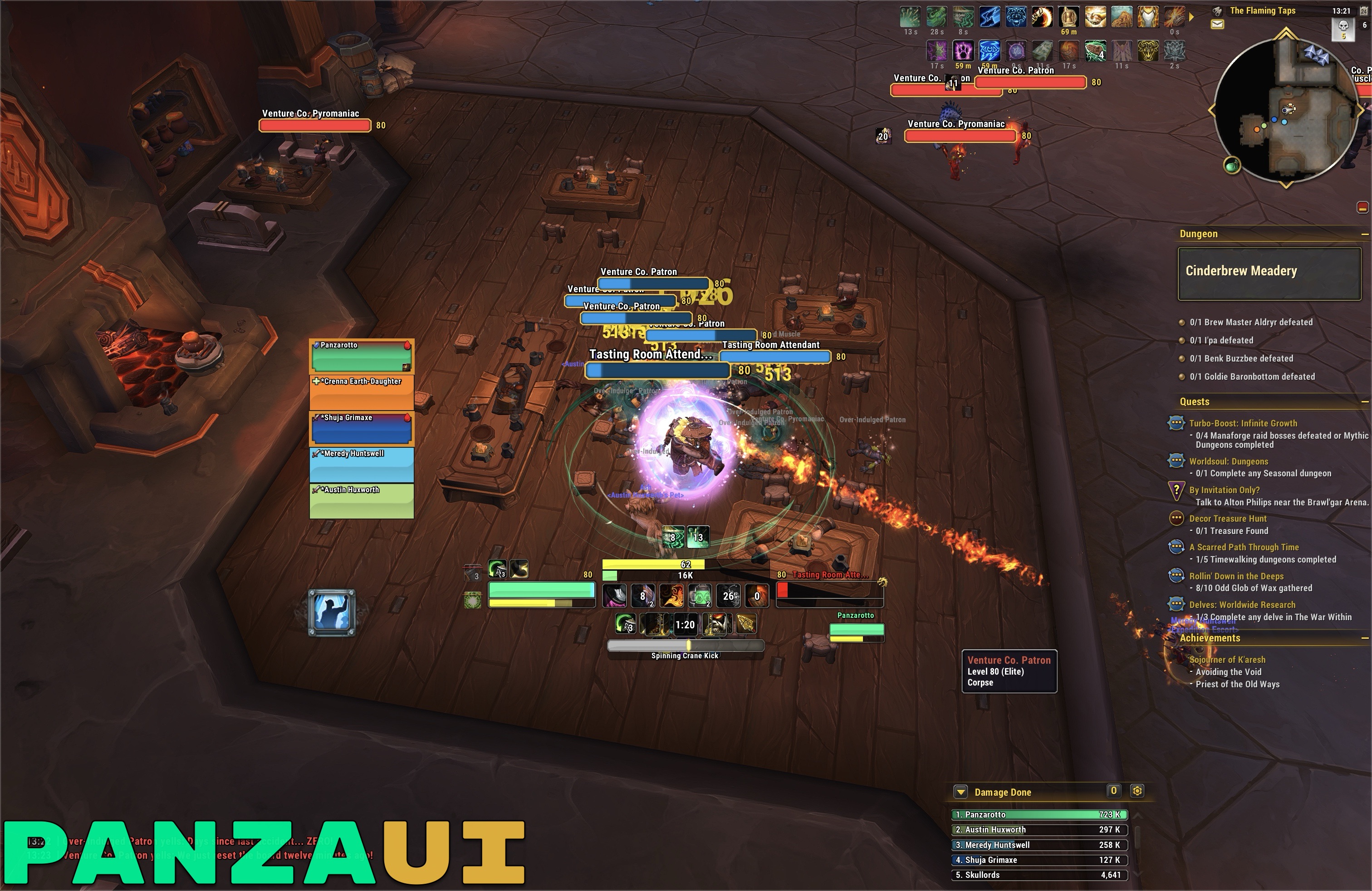
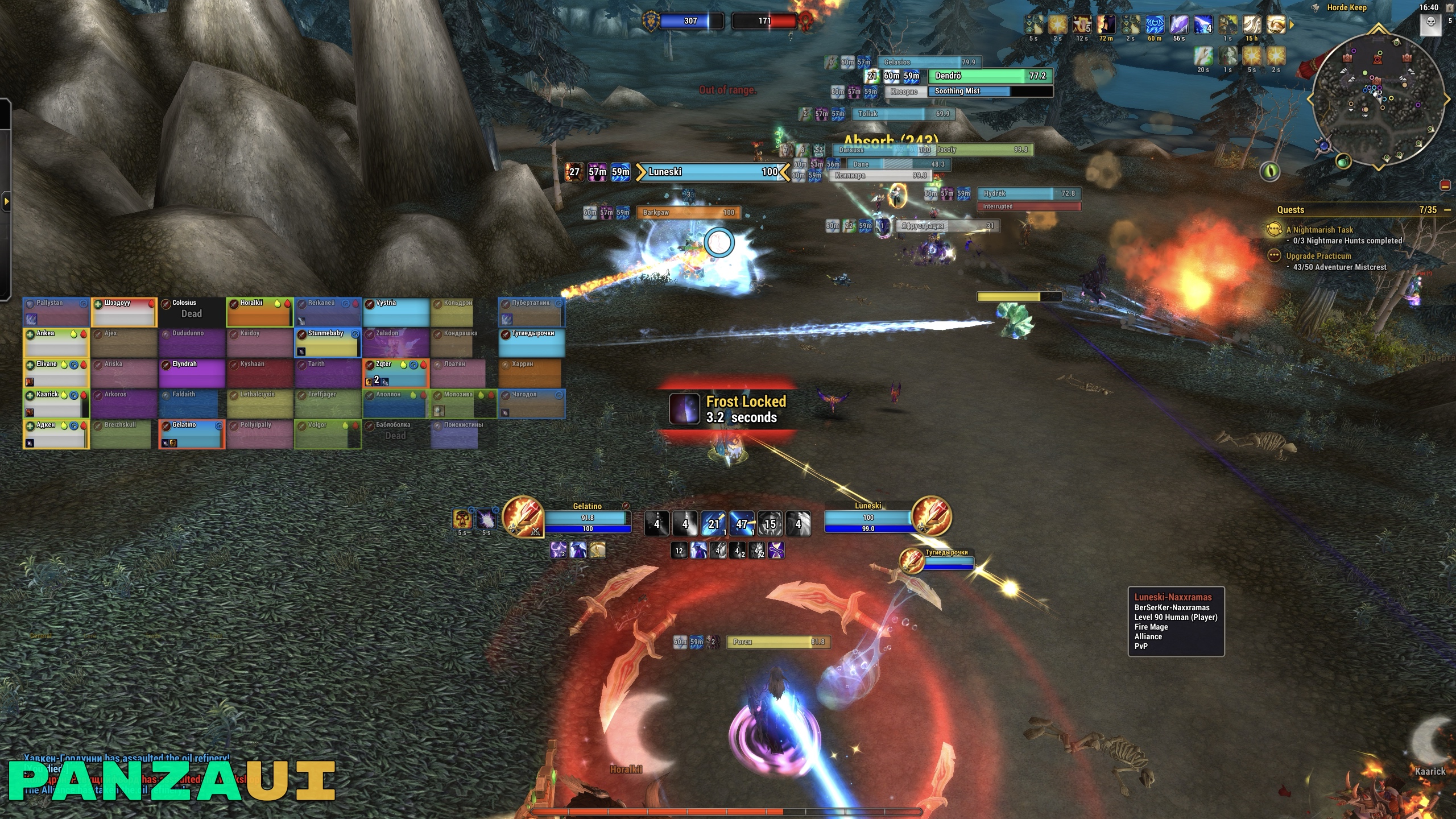
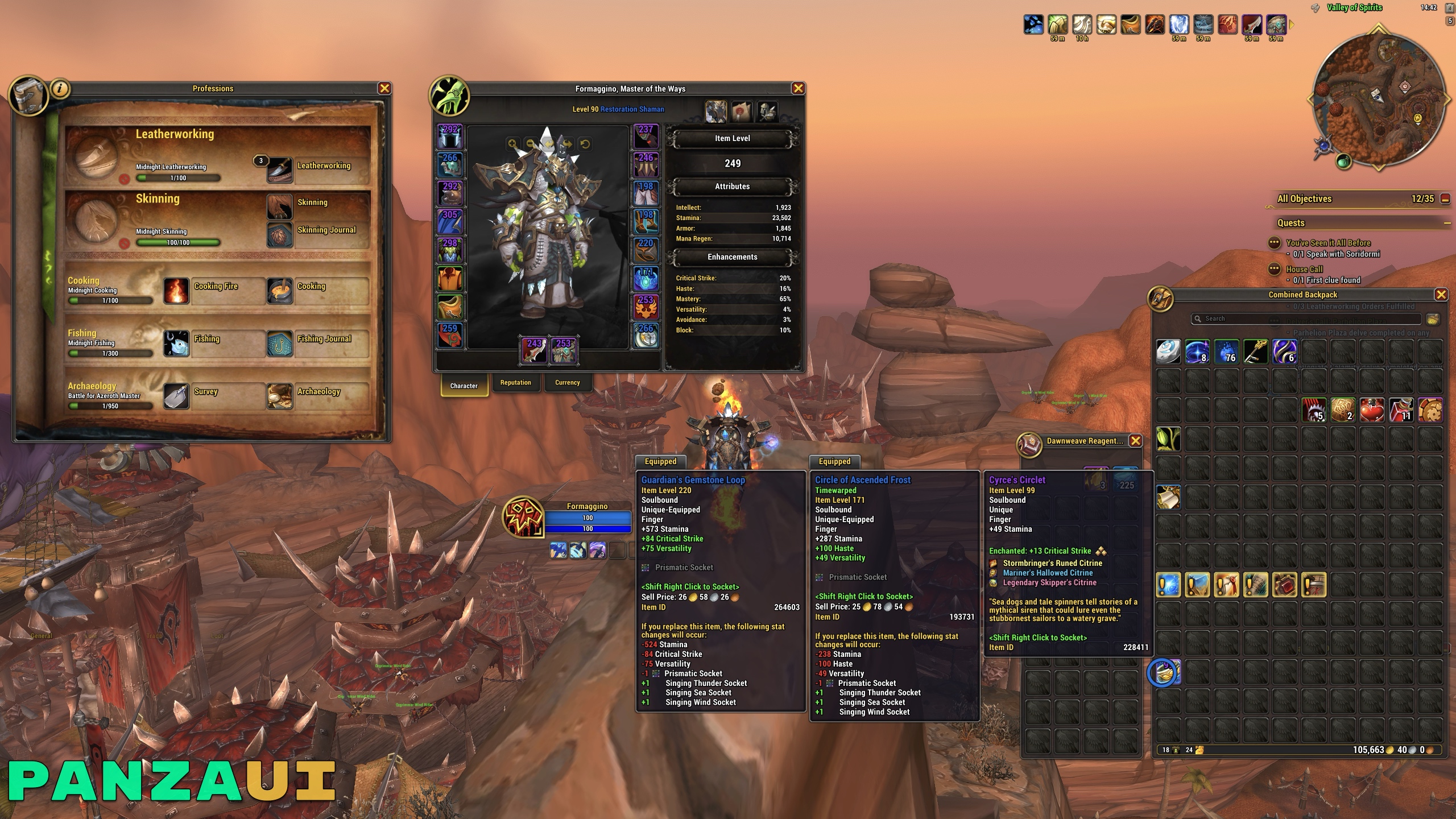
PanzaUI is a UI for World of Warcraft Retail (Midnight) that keeps the default Blizzard interface and fixes what I don't like in it: different textures between the bars of different panels, different borders, inconsistent text formats and so on. On top of that, it brings in features I used to get from other addons.
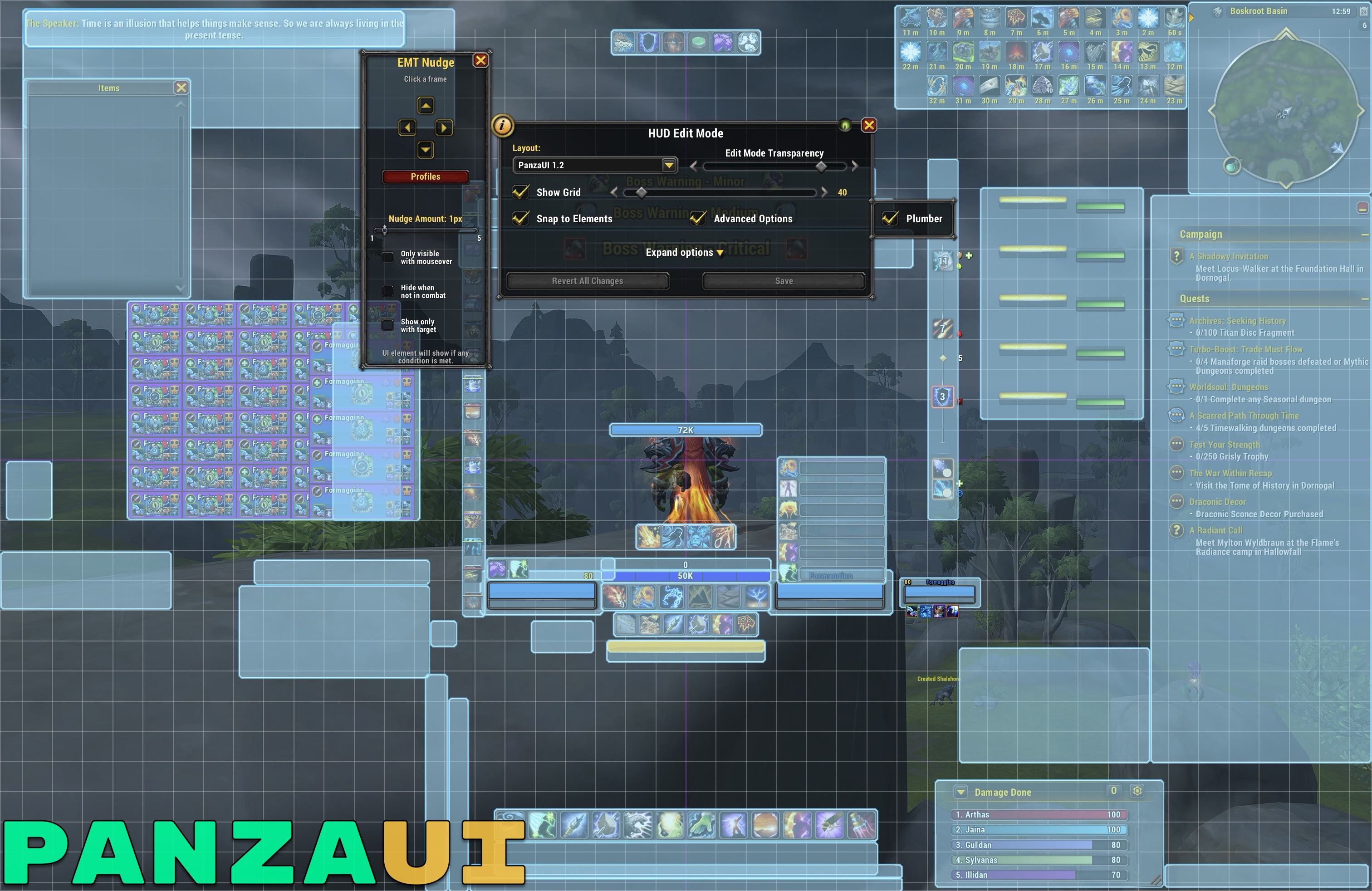
Since version 2.0 the heart of the UI is the PanzaUI addon. It does not replace Blizzard's frames: it restyles them after they are drawn, so Edit Mode and every Blizzard feature keep working as usual. Every feature has its own toggle. Together with a few profiles (Edit Mode layout, Platynator nameplates and, if you want, BigWigs), imported with one click from the options, it recreates the whole PanzaUI setup.
About 1 MB of memory and about 0.1% CPU on average. PanzaUI hooks the Blizzard frames already on screen instead of building new ones, with no libraries or frameworks. My previous setup, made of several big addons and profiles (until 1.7-RELEASE), used about 70-90 MB and about 15% CPU on average for the same result.
Note: designed for 2560×1440 and 65% UI scale. It works at other resolutions too, with some small adjustments of the frame positions.
The addon is available on CurseForge and Wago, so you can install it and keep it updated with the CurseForge or Wago app.
Found a bug or need help? Open an issue and I'll help as much as I can.
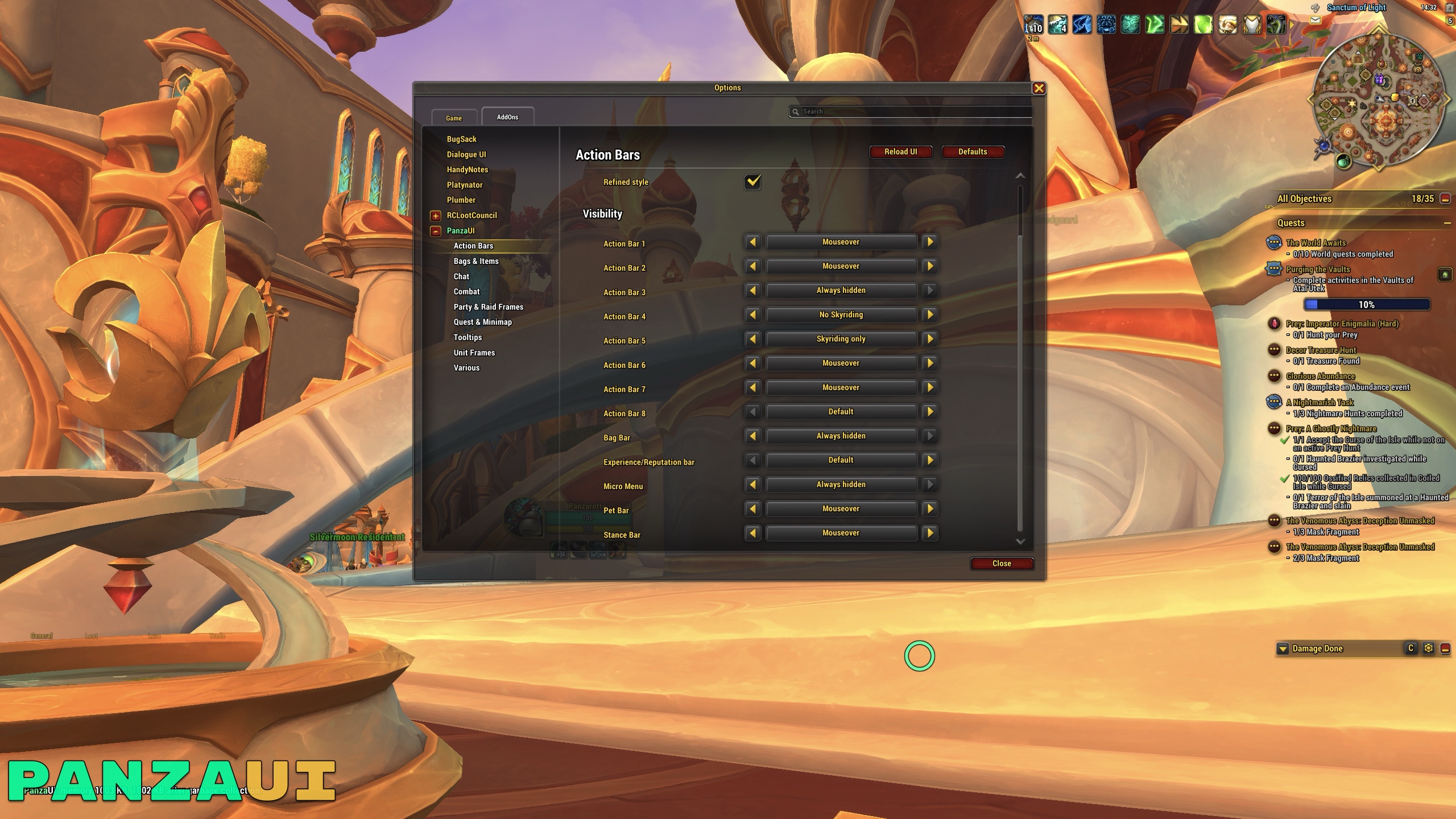
All the options are in the game menu: Options → AddOns → PanzaUI (or just type /pui in chat).
| Section | What it does |
|---|---|
| General | Class colors for health bars, an outlined Refined text for the whole UI, Refined borders for icons, tooltips and pop-ups and custom textures for unit frames, cast bars, Cooldown Manager, Personal Resource Display, Damage Meter and progress bars |
| Action Bars | Cleaner buttons (no macro names or keybindings), icon zoom, icons in red when out of range and a visibility option for every bar: always, on mouseover (with a fade in and out), only while Skyriding, never while Skyriding, only in combat, only out of combat or hidden |
| Bags & Items | Item level on equipment in bags, banks and Character/Inspect panels, icon zoom, auto-repair and auto-sell of junk items |
| Chat | Cleaner chat windows, timestamps, clickable web links, short channel names and no more minor messages (guild message of the day, loot of other players, online/offline and join/leave notices…) |
| Combat | Rounded icons for buffs, debuffs, Cooldown Manager and Damage Meter, elapsed time on cast bars, a dynamic Cooldown Manager layout and a cleaner Personal Resource Display, optionally hidden while casting |
| Party & Raid Frames | Names without server, health as a percentage, cleaner shields and heal prediction, aggro border and sharper role icons |
| Quest & Minimap | Cleaner minimap and Quest Tracker, quest counter in the tracker header and a Quest Tracker that hides itself during boss fights, Mythic+ and instance combat |
| Tooltips | Class colored names, faction, Mythic+ rating, item level and mount of players, item and spell IDs |
| Unit Frames | Refined Player, Target, Focus, Boss and Pet frames: centered names, health and power as a percentage and less clutter (PvP icons, glows, combat text…) |
| Various | Cursor ring, fast auto-loot, fast item delete, automatic Mythic+ keystone, current expansion filter in the Auction House, flight path destination, /way waypoints, refined Platynator nameplates and BigWigs bars and no more micro menu alerts |
Want the action bars set up like mine? Check this guide.
Handy chat commands: /pui (options), /rl (reload the UI), /rd (ready check), /pl (10-second pull timer).
I'll maintain it as long as I play the game — and considering I've been playing since 2004 (yeah, original Vanilla launch window), that's not changing anytime soon. This UI is in it for the long haul. If you enjoy the UI and want to offer me a beer, be my guest! But if not, that's totally cool too, the UI remains free for everyone, always.

| Addon | Description |
|---|---|
| PanzaUI (CurseForge, Wago) | Core addon: improves the default UI with all the features listed above |
| Platynator | Customizes enemy and friendly nameplates |
To replicate this setup, follow the installation guide: it explains every step.
| Addon | Description |
|---|---|
| BigWigs | Boss encounter alerts and timers (a PanzaUI profile is included) |
| DialogueUI | Skins the quest and dialogue UI |
| Plumber | A collection of quality-of-life features |
PanzaUI is designed, tested in game and maintained by me. During development I used an AI assistant to help write and review the code, track down bugs and improve performance. Every change has been checked and tested in game before being released.
If you find bugs or any kind of problems, please open an issue here. Thanks!