
Detect dominant RGB colors in real-time using a TCS3200 sensor and Arduino Nano with live LED feedback.


ColorSense is a compact embedded color detection system that uses the TCS3200 photodiode array to read the red, green, and blue light components of any surface placed beneath it. The Arduino Nano orchestrates photodiode filter selection, measures pulse-width frequency output, identifies the dominant channel, and illuminates a corresponding RGB indicator LED — all while streaming live readings to the Serial Monitor.
Roadmap: v1.0 Wired · v2.0 I2C Display · v3.0 Bluetooth · v4.0 Gesture + ML Classification
v1.0 | Current Release
- Real-time RGB frequency capture via TCS3200 photodiode array
- Dominant color detection by comparing R, G, and B pulse-width readings
- Visual feedback: dedicated red, green, and blue indicator LEDs
- 20% frequency scaling for stable, readable output
- Serial Monitor streaming at 9600 baud for live debugging
- 10 ms inter-channel settling delay for clean, artifact-free readings
- Arduino Nano based: compact, low-cost, and universally available
| Component | Purpose |
|---|---|
| Arduino Nano | Controls sensor filters, reads frequency output, drives LEDs |
| TCS3200 Color Sensor Module | Converts reflected RGB light into measurable pulse frequencies |
| Red LED | Lights when red channel is dominant |
| Green LED | Lights when green channel is dominant |
| Blue LED | Lights when blue channel is dominant |
| Resistors (220 Ω) | Current limiting for each indicator LED |
| Dependency | Version | Purpose |
|---|---|---|
| Arduino IDE | 1.8+ / 2.x | Sketch compilation and upload |
| Arduino AVR Boards | Latest | Nano board support package |
No external libraries are required. The sketch uses only built-in Arduino functions (digitalWrite, pulseIn, Serial).
ColorSense/
|
+-- ColorSense.ino    # Arduino sketch: sensor control, color detection, LED feedback
+-- Pic.PNG           # Project hardware photo 1
+-- Pic2.jpeg         # Project hardware photo 2
+-- README.md
+-- LICENSE
+-- .gitignore
File: ColorSense.ino
Configures the TCS3200 sensor at 20% frequency scaling, cycles through red, green, and blue photodiode filters using S2/S3 pin pairs, measures each channel's pulse width via pulseIn, compares the three readings to identify the dominant color, and toggles the matching indicator LED. Raw R/G/B values are printed to the Serial Monitor every 100 ms.
// RGB Color Detection using TCS3200 Color Sensor and Arduino Nano
// Detects dominant RGB color and lights corresponding LED

#define S0 4          // Frequency scaling pin
#define S1 5          // Frequency scaling pin
#define S2 6          // Color filter selection pin
#define S3 7          // Color filter selection pin
#define OUT_PIN 8     // Sensor frequency output

#define RED_LED   9   // Red indicator LED
#define GREEN_LED 10  // Green indicator LED
#define BLUE_LED  11  // Blue indicator LED

int redValue;
int greenValue;
int blueValue;

void setup() {
  pinMode(S0, OUTPUT);  pinMode(S1, OUTPUT);
  pinMode(S2, OUTPUT);  pinMode(S3, OUTPUT);
  pinMode(OUT_PIN, INPUT);
  pinMode(RED_LED, OUTPUT);
  pinMode(GREEN_LED, OUTPUT);
  pinMode(BLUE_LED, OUTPUT);

  digitalWrite(S0, HIGH);   // Set frequency scaling to 20%
  digitalWrite(S1, LOW);

  Serial.begin(9600);

  digitalWrite(RED_LED, LOW);
  digitalWrite(GREEN_LED, LOW);
  digitalWrite(BLUE_LED, LOW);
}

int readRed()   { digitalWrite(S2, LOW);  digitalWrite(S3, LOW);  delay(10); return pulseIn(OUT_PIN, LOW); }
int readGreen() { digitalWrite(S2, HIGH); digitalWrite(S3, HIGH); delay(10); return pulseIn(OUT_PIN, LOW); }
int readBlue()  { digitalWrite(S2, LOW);  digitalWrite(S3, HIGH); delay(10); return pulseIn(OUT_PIN, LOW); }

void loop() {
  redValue   = readRed();
  greenValue = readGreen();
  blueValue  = readBlue();

  Serial.print("R="); Serial.print(redValue);
  Serial.print(" G="); Serial.print(greenValue);
  Serial.print(" B="); Serial.println(blueValue);

  if      (redValue   < greenValue && redValue   < blueValue)  { digitalWrite(RED_LED,   HIGH); digitalWrite(GREEN_LED, LOW);  digitalWrite(BLUE_LED,  LOW);  }
  else if (greenValue < redValue   && greenValue < blueValue)  { digitalWrite(RED_LED,   LOW);  digitalWrite(GREEN_LED, HIGH); digitalWrite(BLUE_LED,  LOW);  }
  else if (blueValue  < redValue   && blueValue  < greenValue) { digitalWrite(RED_LED,   LOW);  digitalWrite(GREEN_LED, LOW);  digitalWrite(BLUE_LED,  HIGH); }

  delay(100);
}| Signal | Arduino Nano Pin | TCS3200 / LED Pin | Notes |
|---|---|---|---|
| S0 | D4 | S0 | Frequency scaling (HIGH) |
| S1 | D5 | S1 | Frequency scaling (LOW → 20%) |
| S2 | D6 | S2 | Filter select bit 0 |
| S3 | D7 | S3 | Filter select bit 1 |
| OUT | D8 | OUT | Frequency signal from sensor |
| Red LED | D9 | LED anode via 220 Ω | Red dominant indicator |
| Green LED | D10 | LED anode via 220 Ω | Green dominant indicator |
| Blue LED | D11 | LED anode via 220 Ω | Blue dominant indicator |
| VCC | 5V | VCC | Power supply |
| GND | GND | GND | Common ground |
Tip: Hold the sensor 5–10 mm above the target surface in a shaded environment for most accurate readings. Ambient light interference will skew the raw frequency values.
1. Clone the repository
git clone https://github.com/MohammadFayasKhan/ColorSense.git
cd ColorSense
2. Open in Arduino IDE
File → Open → ColorSense.ino
3. Select board and port
Tools → Board → Arduino Nano
Tools → Processor → ATmega328P (Old Bootloader)   ← if upload fails, try this
Tools → Port → /dev/cu.usbserial-XXXX  (macOS) | COM# (Windows)
4. Upload the sketch
Sketch → Upload (Ctrl + U / Cmd + U)
5. Open Serial Monitor to verify
Tools → Serial Monitor → 9600 baud
- Wire all components per the Circuit Connections table above.
- Upload
ColorSense.inoto the Arduino Nano. - Open the Serial Monitor at 9600 baud.
- Place a colored object directly beneath the TCS3200 sensor.
- Observe live output:
R=42 G=110 B=98     → Red LED lights   (smallest R value = most reflected red)
R=120 G=38 B=95     → Green LED lights
R=115 G=102 B=31    → Blue LED lights
Note: On the TCS3200 a lower pulse-width value means higher reflectance for that channel. The sketch correctly identifies the dominant color as whichever channel has the smallest reading.
TCS3200 Frequency Output
The TCS3200 contains an 8×8 array of photodiodes — 16 red-filtered, 16 green-filtered, 16 blue-filtered, and 16 clear. The S2/S3 pin pair selects which filter group is active. The sensor then converts the photodiode current from that group into a square wave whose frequency is proportional to light intensity. pulseIn(OUT_PIN, LOW) measures the pulse width in microseconds; a shorter pulse means higher frequency, which means higher reflectance for that color channel.
Frequency Scaling
Pins S0 and S1 control output frequency scaling (2%, 20%, 100%). This sketch uses 20% (S0=HIGH, S1=LOW) to keep the output frequency within the range that pulseIn can reliably measure on a Nano running at 16 MHz.
Dominant Color Logic After all three channels are captured, the sketch compares the three raw values. The channel with the lowest pulse-width value is the dominant color, because a lower value means the sensor is detecting more reflected light in that wavelength band. The corresponding LED is turned on and the other two are turned off.
Serial Streaming
Every loop iteration, the raw R, G, and B values are printed as R=xx G=xx B=xx to the serial port at 9600 baud, enabling real-time monitoring, logging, and future integration with a host-side application.
| Version | Edition | Status | Highlight |
|---|---|---|---|
| v1.0 | Wired | ✅ Released | TCS3200 sensor · LED feedback · Serial streaming |
| v2.0 | I2C Display | 🔜 Planned | OLED / LCD showing hex color code |
| v3.0 | Bluetooth | 🔜 Planned | Wireless color data to smartphone |
| v4.0 | ML Classify | 🔜 Planned | On-device color name classification |
Progression: v1.0 Wired → v2.0 I2C Display → v3.0 Bluetooth → v4.0 ML Classify
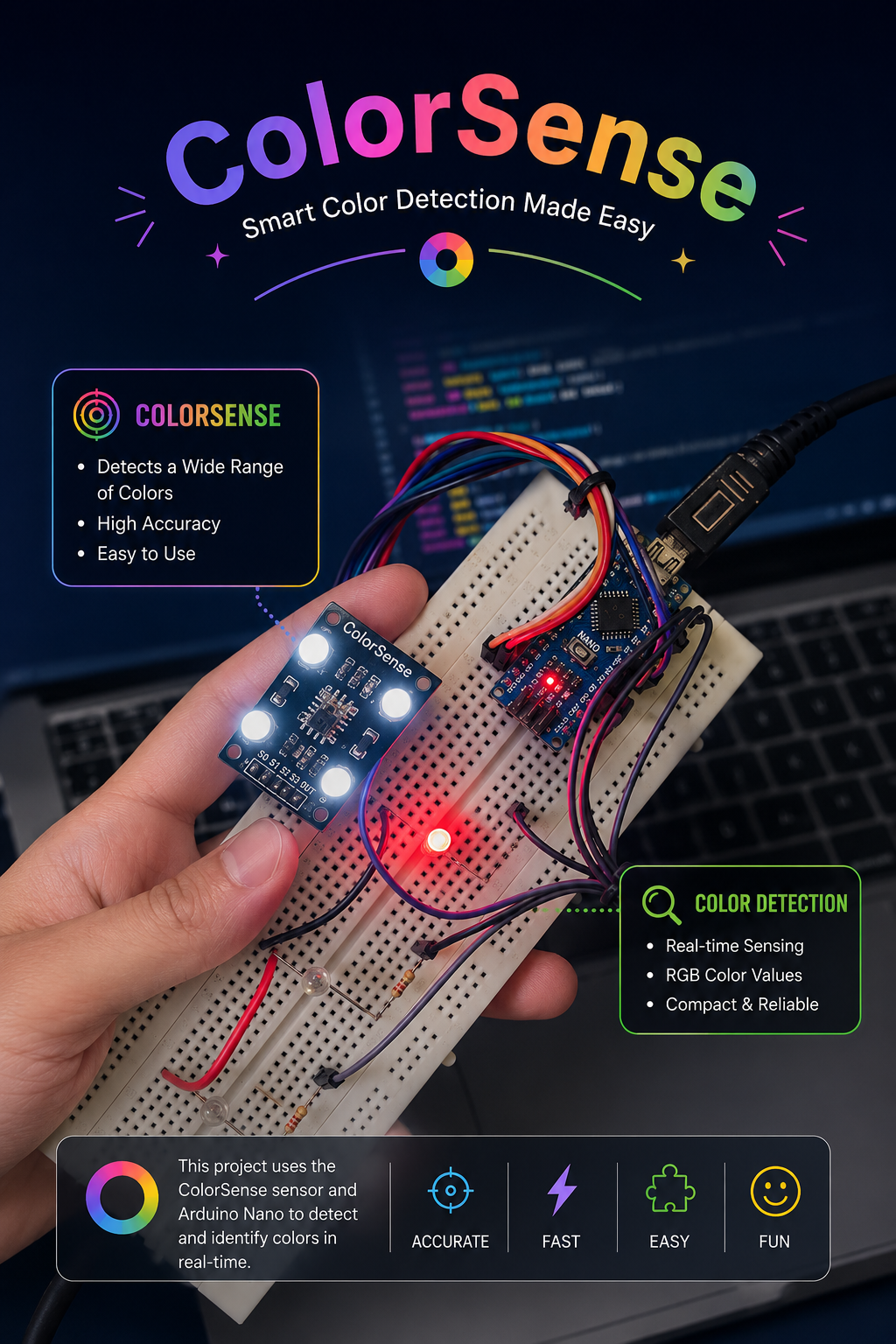
Hardware Assembly |
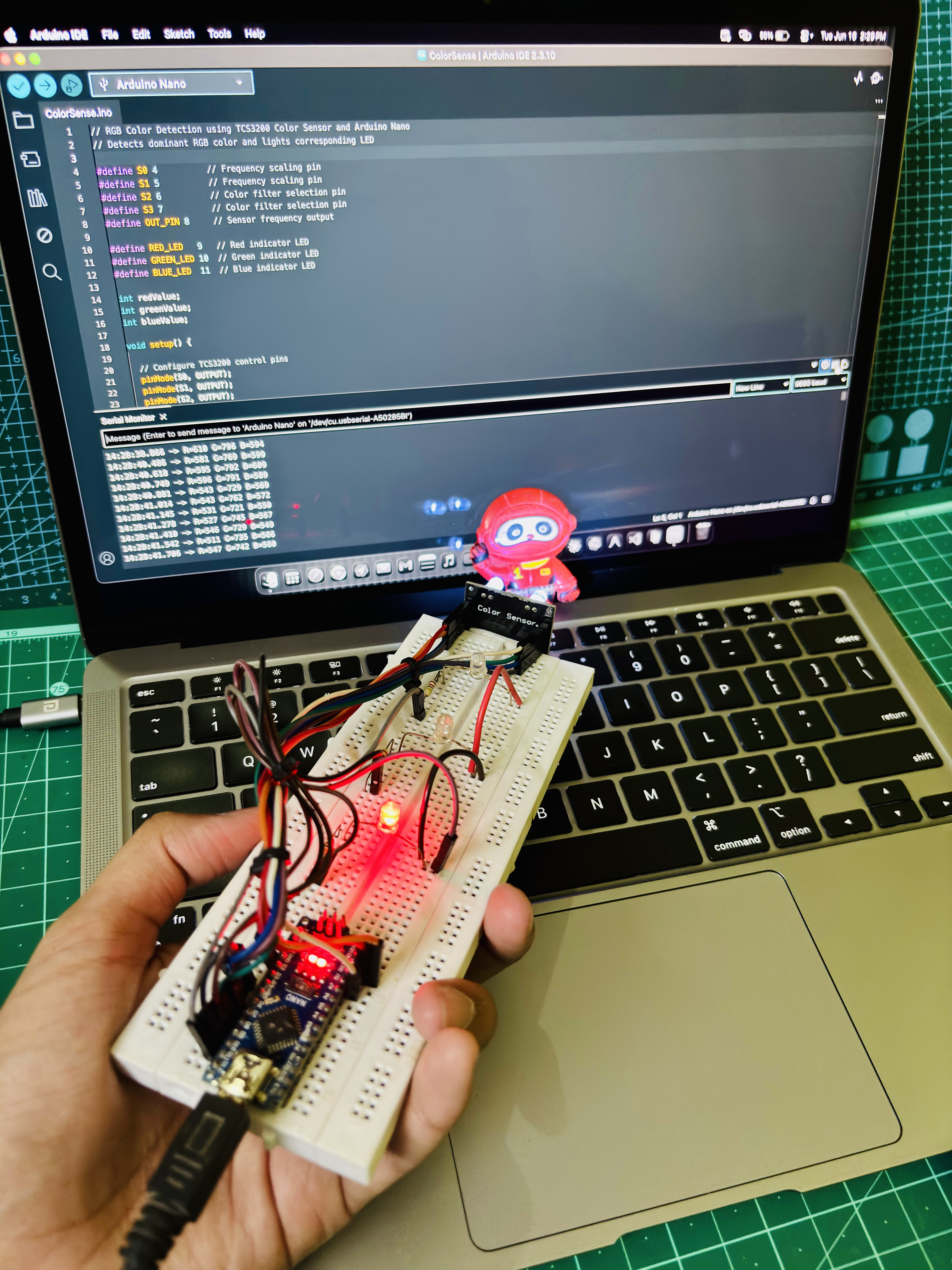
Sensor Close-up |
- Fork the repository
- Create a feature branch:
git checkout -b feature/your-feature - Commit your changes:
git commit -m 'feat: description' - Push and open a Pull Request
MIT License. See LICENSE for details.
Mohammad Fayas Khan
GitHub → MohammadFayasKhan
Built for learning, experimentation, and embedded systems exploration.