We build open-source tools that help people do more with AI—
without losing sight of what runs, where data goes, or who is in control.
Explore Quasnooze → · Get started · Contribute · Security
Static artwork by default · View the decorative animated banner
Your everyday tools. A cosmic companion. Your permission, first.
Quasnooze is our local-first personal assistant. It runs on your computer, works with Ollama, and brings conversation, useful tools and a little cosmic calm into one place.
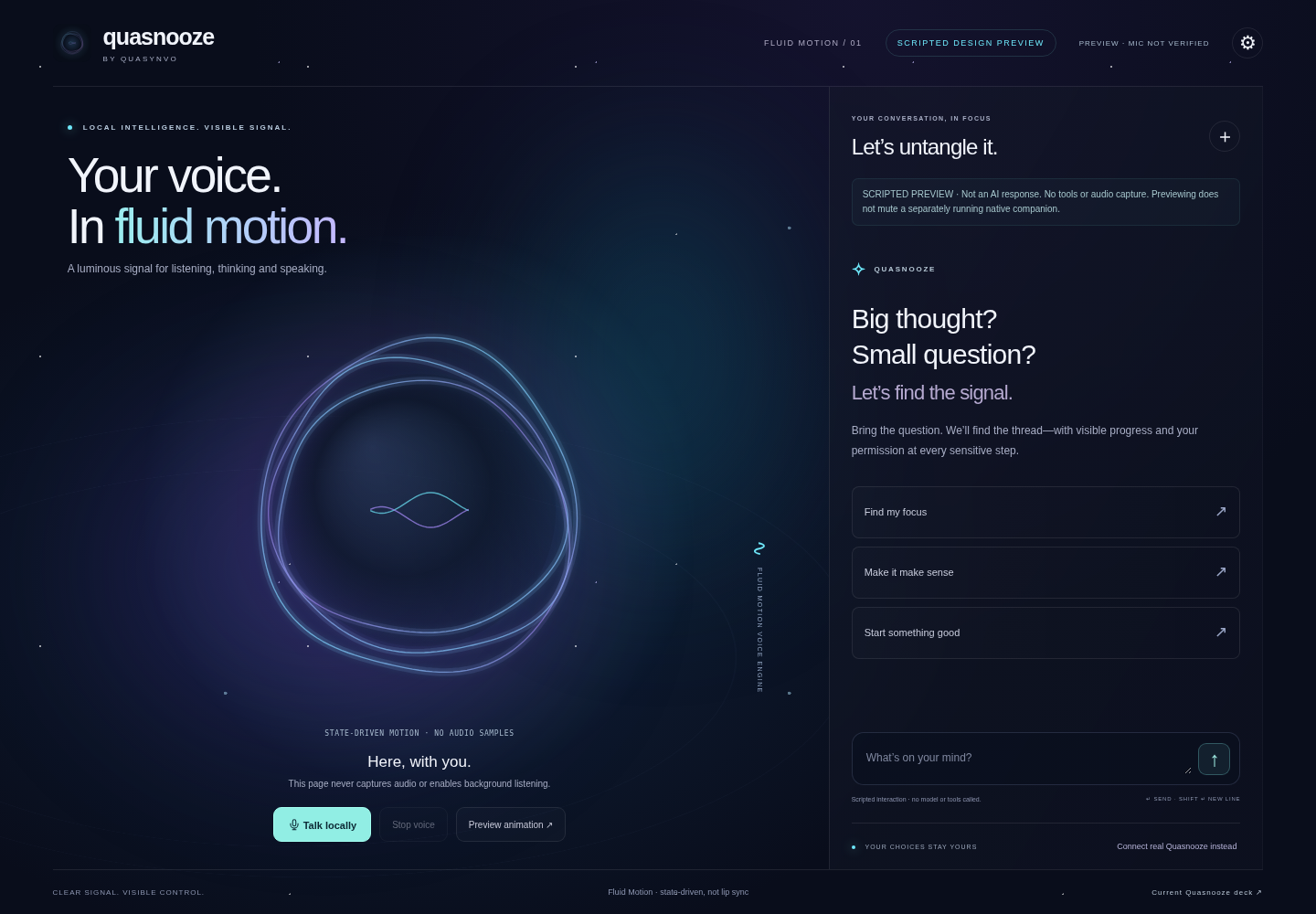
Illustrated, scripted UI preview—not a live model response or microphone demonstration.
- Think & create — ask questions, draft, plan, and use personas and remembered facts.
- Find & remember — search supported documents and local history, set reminders, and work with attachments.
- Act with visibility — inspect tool activity and approve sensitive actions before they run, subject to your configured policies.
- Stay connected — use the browser, the Windows companion, or optional Telegram, Discord, Slack and WhatsApp channels.
Explore the project → · Capabilities · Desktop guide
Local-first, by choice. Ollama can handle reasoning on your own machine. Optional cloud providers, network tools and messaging channels have separate data boundaries.
Your actions, your say. Workspace policies, visible activity and approval prompts put people in the loop. A wake phrase is not authentication; local software is not automatically encrypted or OS-sandboxed.
Open by nature. Read the code, check the evidence, report a problem or help make it better. We value honest limits over inflated claims.
You'll need Node.js 22+ and a configured, running Ollama model for real local reasoning.
git clone https://github.com/Quasynvo/Quasnooze.git
cd Quasnooze
npm run setup
npm run doctor
npm run brain
npm start
For the Windows tray/widget, use npm run desktop instead. The web and configured-channel assistant also runs on Linux and macOS. Keep an unauthenticated server local; see the complete setup guide before exposing services or enabling powerful tools.
Product status & privacy notes
The Windows resident and illustrated conversation experiences are previews. Physical wake-word, microphone, startup and accessibility acceptance still need testing. The companion is a 2.5D illustration, not a VR/3D model or phoneme-accurate lipsync system.
Browser speech recognition may involve its vendor; native Windows voice is the local option. Optional integrations can send data to their providers. See the voice guide, security audit and known limits, and capability inventory.
Previously using Pinch?
The project is now Quasnooze by Quasynvo. Existing CLI/configuration aliases and saved state remain supported. See the migration rules.
There is room for more than code. Improve a guide, reproduce a bug, review a change, or bring a focused idea to the conversation.
Find an issue → · Help-wanted tasks · Contribution guide · Code of Conduct
Found a security issue? Report it privately—please don't post credentials or vulnerability details in a public issue. Need help with the product? See Quasnooze support.