Repository navigation
Conversation


prepareForRecycle reset layer properties that RCTViewComponentView owns
(masksToBounds, cornerRadius, backgroundColor, borders, shadow, opacity,
transform). RCTViewComponentView keeps _props across recycling and only
applies a style value again when it changes, so a view mounted again with
the same overflow: 'hidden' and borderRadius stayed unclipped with square
corners.

Reset only the properties in the previous props' animatedProperties mask,
and never masksToBounds. Adds a reproducer under example/app/issues.

|
@el-lsan is attempting to deploy a commit to the appandflow Team on Vercel. A member of the Team first needs to authorize it. |

 floco-af
left a comment
floco-af
left a comment
There was a problem hiding this comment.
Thanks for the report and the fix, @el-lsan. The diagnosis checks out: RCTViewComponentView keeps _props across recycling (it says so in updateProps: "prepareForRecycle resets _removeClippedSubviews but keeps _props"). Style values like overflow, borderRadius and backgroundColor are only re-applied when they differ from _props, so resetting them in EaseView.prepareForRecycle leaves a same-style remount unclipped. Resetting only the layer properties in the previous animatedProperties mask is a sound direction, and the first-mount path (applyFirstMountProps / the non-initial path that sets animate* targets) sets every masked property again.
One thing I'd change: anchorPoint. prepareForRecycle still resets _transformOriginX/Y to 0.5 unconditionally, but the PR now resets layer.anchorPoint only when the mask has a transform. transformOrigin is passed to native independently of animate (src/EaseView.tsx always sends transformOriginX/Y), and updateProps calls updateAnchorPoint whenever it differs from the default. So a view with e.g. transformOrigin={{x: 0, y: 0}} that only animates opacity gets a non-default anchorPoint that is never reset on recycle. The next mount with the default origin sees _transformOriginX == 0.5 already, skips updateAnchorPoint, and keeps the stale anchor, which shifts the view's position. Resetting anchorPoint unconditionally (EaseView owns it, RCTViewComponentView doesn't touch it) avoids that:
self.layer.anchorPoint = CGPointMake(0.5, 0.5);
if (mask & kMaskAnyTransform) {
  self.layer.transform = CATransform3DIdentity;
}
Minor: the mask comes from the last props only. If a property was animated earlier and later dropped from animate, its layer value isn't reset. That's no worse than before this change for a live view, so I wouldn't block on it.
What I checked
- Read the diff against
ios/EaseView.mmand the RNRCTViewComponentView.mmon main. - On the PR branch:
yarn lint(eslint,tsc, exampletsc) andyarn test(90 tests) pass. The change is native-only apart from the example screen. - I could not run the iOS repro here, so I haven't independently confirmed the before/after screenshots. They look consistent with the code path above.
Verdict: the approach is right; I'd fix the anchorPoint case before merging. cc @janicduplessis

anchorPoint follows transformOrigin, which is sent independently of
animate, and _transformOriginX/Y are reset on every recycle. Resetting the
anchor only when a transform was animated left a view with a custom
transformOrigin that animated something else with a stale anchor on reuse.
Adds that case to the issue appandflow#72 reproducer.
|
@floco-af I tested equivalent reproductions of both cases in an iOS 27 simulator release build, against three versions of 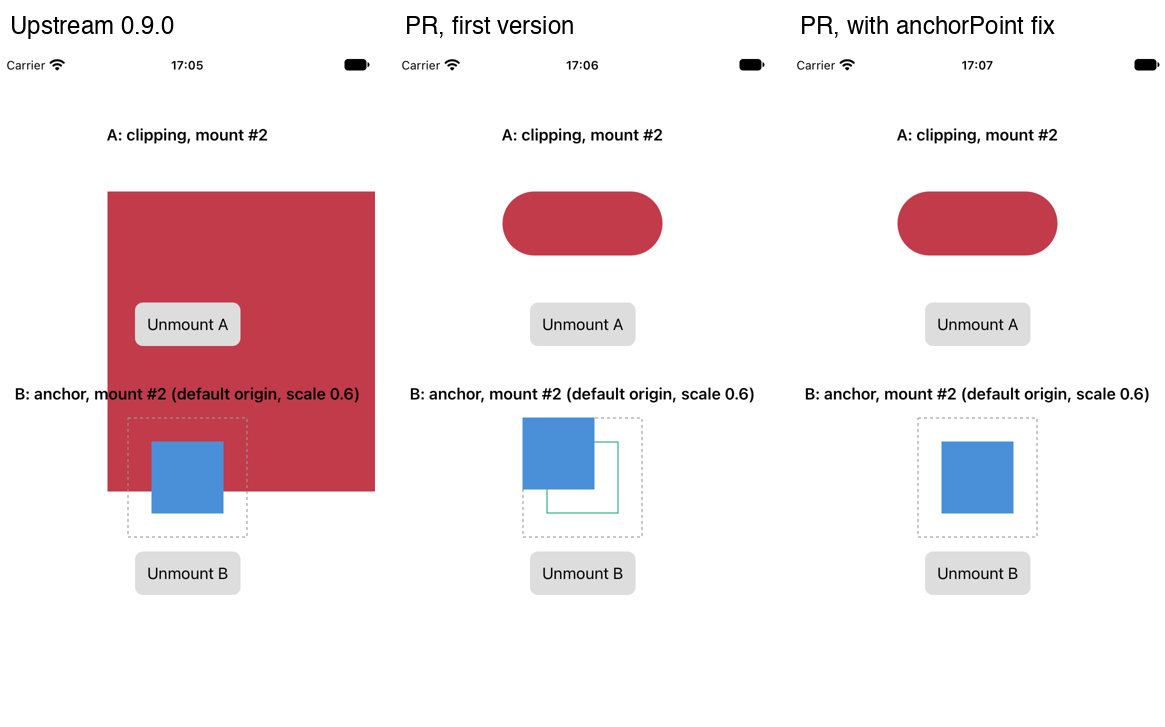
The remount, upstream 0.9.0 on the left and this PR on the right: recycle-before-after.mp4On the minor point: you're right, and it's a small regression against upstream. A property animated earlier and later dropped from animate keeps its animated value on the layer, and this change no longer resets it on recycle. Resetting every property the view ever animated would bring the original bug back for a property that was animated and then set as a plain style. Covering both would need the view to know which layer values React Native set and which it set itself, so I'd leave it out of this PR. |
floco-af
left a comment
floco-af
left a comment
There was a problem hiding this comment.
Thanks @el-lsan, the follow-up commit (e63c5b7) does what I asked: anchorPoint is now reset unconditionally in prepareForRecycle, and the diff otherwise matches the earlier version. The three-build comparison (upstream 0.9.0 / first version / current) with case B covers the stale-anchor case well.
On the dropped-from-animate property: agreed, leaving it out of this PR is fine. Telling React Native's layer values apart from ones EaseView set itself is a bigger change, so it can be a separate issue if it ever shows up in practice.
What I checked
- Read the new commit against
ios/EaseView.mm. - On the PR head:
yarn lintandyarn test(90 tests) pass. - I could not run the iOS repro here (no Xcode on this host), so I haven't independently confirmed the screenshots and recording. They are consistent with the code path.
Verdict: looks good to me. cc @janicduplessis for the final review.

|
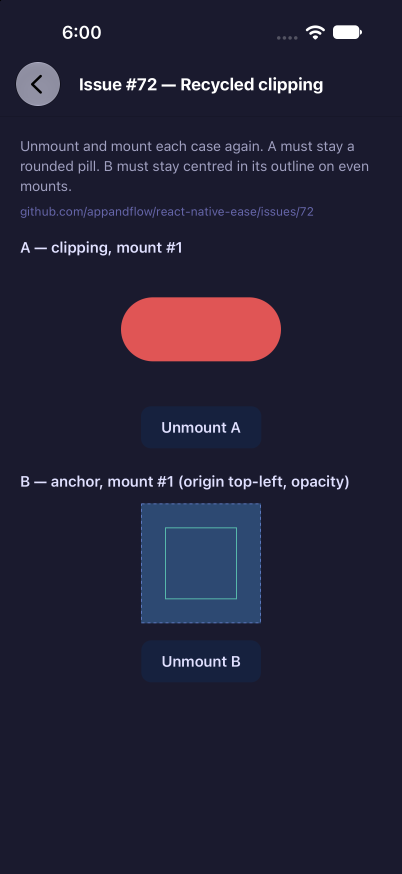
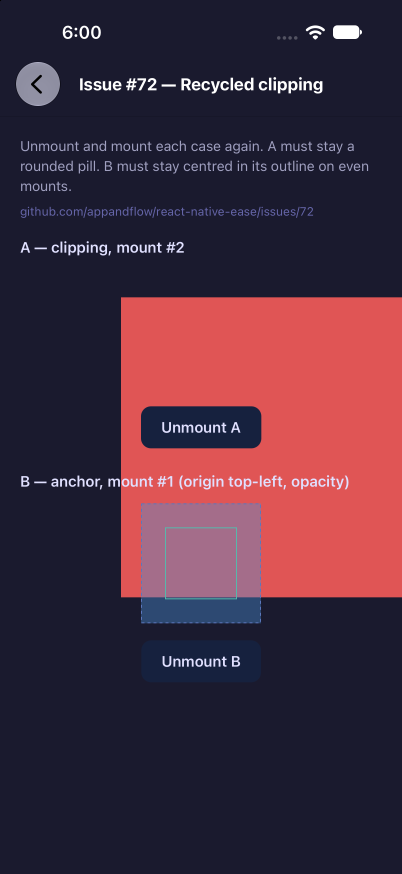
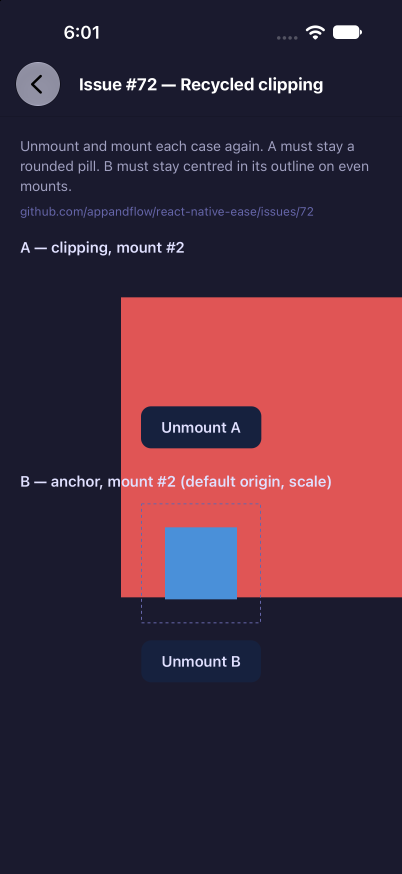
Ran the #72 repro on a real iOS (Fabric) build, before and after this PR. Setup: iPhone 18 Pro simulator, iOS 27.0, on the team Mac mini, built and driven with stim and agent-device. Example app, screen "Issue #72 — Recycled clipping" (this PR's repro screen, copied into the main build locally, not committed). Before —
|
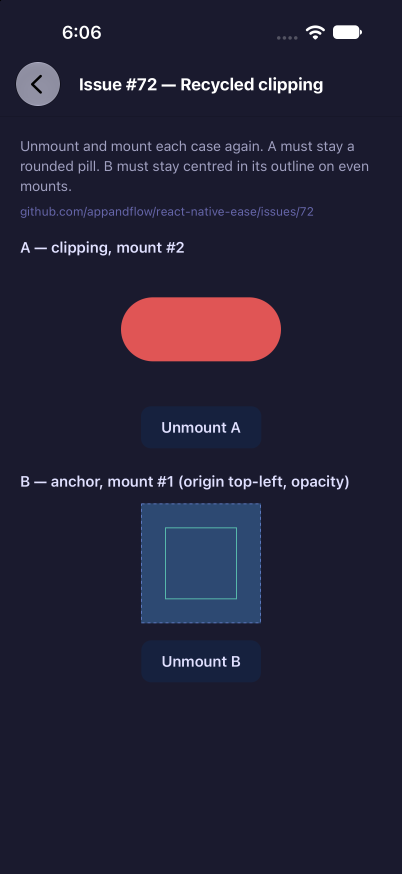
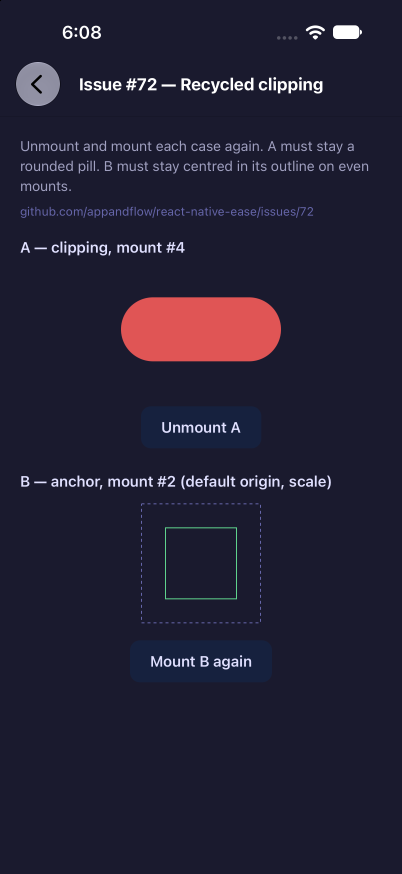
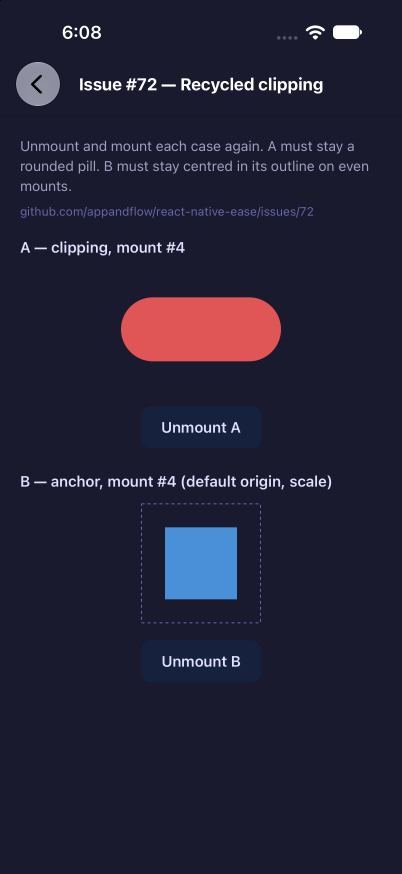


Summary
Fixes #72.
On iOS, a recycled
EaseViewkept no clipping and had square corners when it was mounted again with the sameoverflow: 'hidden'andborderRadius.prepareForRecyclereset layer properties thatRCTViewComponentViewowns:masksToBounds,cornerRadius,backgroundColor, borders, shadow, opacity and transform.RCTViewComponentViewkeeps_propsacross recycling and diffs the next props against it, so a style value that did not change is never applied again. The layer kept the reset value.This change resets only the properties in the previous props'
animatedPropertiesmask. Those belong toEaseView, and the next first-mount update sets them again.masksToBoundsis never animated, so it is no longer touched.Resetting
_propsto the defaults was also tried. It fixes clipping, but then values like a stalebackgroundColorstick on the reused view, because the next props look unchanged against the defaults.Test Plan
example/app/issues/72: a pill withoverflow: 'hidden'andborderRadiusaround a larger red square, and an Unmount / Mount again button. Without the fix, the second mount shows the whole red square with square corners. With the fix it stays a rounded pill.EaseViewwithoverflow: 'hidden'keepsclipsToBounds = YESand its corner radius.clang-format --dry-run --Werrorand Prettier pass on the changed files. I could not runyarn lintandyarn testlocally; the change is native only, apart from the new example screen.