






Self-hosted dashboard for monitoring private tracker stats over time. Track upload, download, ratio, buffer, seedbonus, and rank across all your trackers from one place.
- Per-tracker and fleet-wide stats with 30+ charts
- UNIT3D, Gazelle, GGn, Nebulance, MAM, and AvistaZ network support out of the box
- qBittorrent and Transmission integration, with cross-seed tracking, activity heatmaps, and speed history (download clients)
- Prowlarr integration that shows each tracker's indexer status and stats from one or more Prowlarr instances
- Everything stays on your machine. No telemetry, no phoning home.
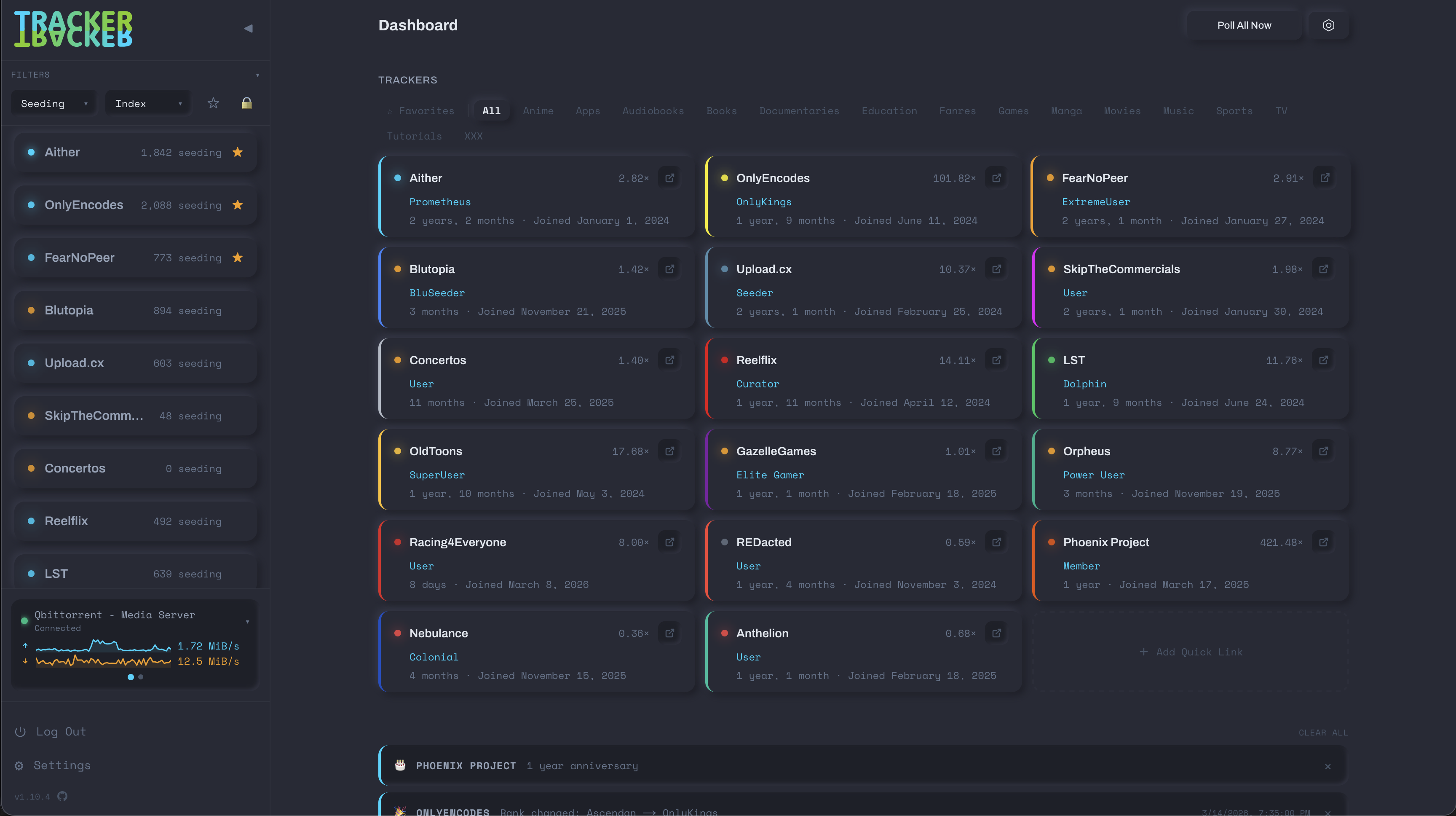
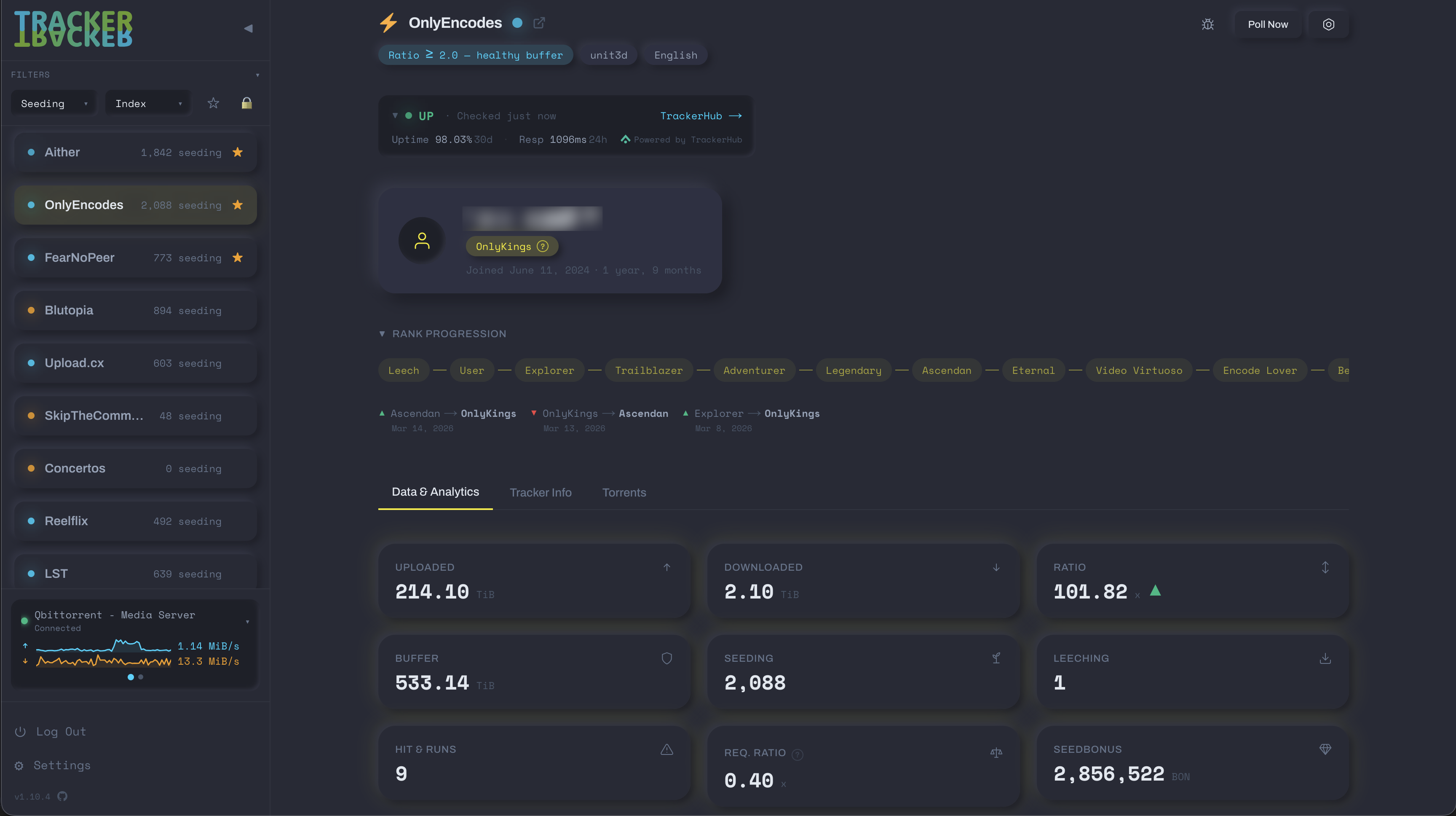
More screenshots are in the docs folder.
Verified (tested against a live account): Aither, AnimeZ, Anthelion, AvistaZ, Blutopia, C411, CinemaZ, Concertos, DarkPeers, DigitalCore.Club, FearNoPeer, FileList, GazelleGames, HAWKE-UNO, IPTorrents, LST, MyAnonaMouse, Nebulance, OldToons, OnlyEncodes, Orpheus, Phoenix Project, Racing4Everyone, REDacted, ReelFliX, RetroToon World, seedpool, SkipTheCommercials, TorrentLeech, Upload.cx, Yu-Scene.
Unverified (the adapter exists but has not been tested against a live account): AlphaRatio, AnimeBytes, BroadcasTheNet, Cathode-Ray.Tube, DreadVault, Empornium, ExoticaZ, Great Poster Wall, InfinityHD, Luminarr, MoreThanTV, PassThePopcorn, PrivateHD, Retro Movies Club, RocketHD, SeedCore, TR4KER, Zenith.
Not supported yet: 720pier, AB Torrents, AsianCinema, BeyondHD, Bibliotik, Cinemageddon, HDBits, HD-Torrents, Portugas, Secret Cinema, Sportscult, TV-Vault, UHDBits.
mkdir tracker-tracker && cd tracker-tracker-
Download the compose file and example env:
curl -LO https://raw.githubusercontent.com/jordanlambrecht/tracker-tracker/main/docker-compose.yml
curl -L https://raw.githubusercontent.com/jordanlambrecht/tracker-tracker/main/.env.example -o .env
-
Generate secrets and paste them into
.env:# Run these, then copy the output into .env openssl rand -base64 24 # → POSTGRES_PASSWORD openssl rand -base64 48 # → SESSION_SECRET
Keep
SESSION_SECRETsafe and never change it, because it wraps your encryption key. -
Start the stack:
docker compose up -d
-
Visit
http://localhost:3000to set your master password and start adding trackers.
To update:
docker compose pull && docker compose up -dThe database schema is synced automatically on startup.
Environment variables, volumes, ports, and reverse proxy examples are in Docker Configuration. To use an existing Postgres, see Using an external database.
There is no "forgot password" email. The app container ships a recovery command instead:
docker exec -it tracker-tracker-app tt-recover --check # can I recover? writes nothingDo not edit password_hash by hand. Every stored secret is encrypted with a key derived from your master password, so a hand edit orphans all of them permanently. The full walkthrough is in Lost Master Password.
Full documentation is at jordanlambrecht.github.io/tracker-tracker.
PRs welcome. To run the app from source, see Local Development. Adding a tracker has the full guide for new trackers. Start from _template.ts. Partial entries are fine if you set draft: true.
Other places help is useful:
- Download client adapters for Deluge and rTorrent. See
src/lib/download-clients/for the pattern: an adapter underadapters/, its transport in a sibling folder, and onecaseinfactory.ts. - Adapters for trackers that do not run a supported platform (see the adapter standard)
- Verifying a tracker from the unverified list above against a live account
- Security review (see SECURITY.md)
- Feedback on other screen sizes, since I only have a 16" MBP to test on
- Charts and data visualization
Tracker Tracker is free and independently maintained. GitHub Sponsors for recurring support, Buy Me a Coffee for a one-off.
Next.js 16 (App Router), PostgreSQL with Drizzle ORM, ECharts, node-cron, Argon2, and jose.