
Turn coding-agent sessions into end-to-end encrypted links your colleagues can actually read.


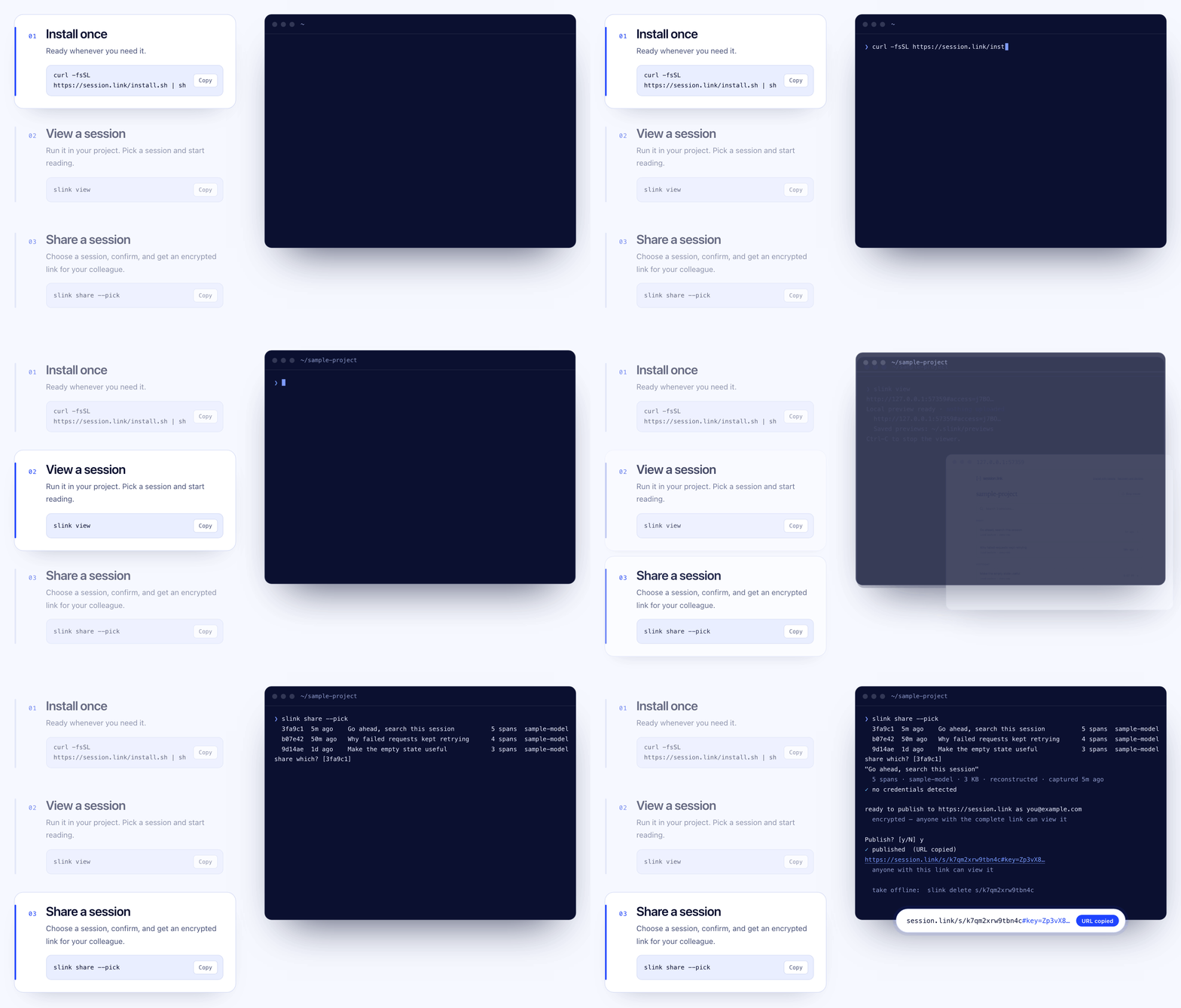
slink is an open-source CLI that turns Claude Code, Codex, opencode, pi and
Aider sessions into end-to-end encrypted links. It opens the transcript your
agent already keeps in a local web reader. Pick the exchange that matters, add
a note, and publish. Nothing leaves your machine until you do.
brew install lftherios/tap/slink                   # macOS, Linux
curl -fsSL https://session.link/install.sh | sh    # macOS, Linux; checksum-verified
npm i -g session.link                              # the same native binary via npm
Windows, .deb, .rpm and .apk packages are on the
releases page.
slink is one native binary: under 15 MB installed and about 6 MB to download.
Installed with Homebrew or the script it needs nothing beside it, no Node, no
Python and no SDK. The npm package is the same binary behind a small launcher.
slink viewslink view finds this project's sessions from Claude Code, Codex, opencode, pi,
omp, DeepSeek Harness, Aider and Hermes (experimental), with no SDK and no
re-run. To share one, choose Share this view: keep what matters, add a note,
then publish a link for anyone who has it or for specific people by email.
slink record -- python agent.py    # record a client's Anthropic or OpenAI API calls, wire-exact
slink import --from codex          # convert an agent's newest session without the viewer
slink share                        # publish from the terminal instead
slink tap --install                # optional always-on recorder; then eval "$(slink on)"
slink record sees a client that takes its endpoint from ANTHROPIC_BASE_URL
or OPENAI_BASE_URL. Codex does not, so read its sessions with slink view.
In pi, the extension adds /slink view and /slink.
Run slink help for everything else. On a remote machine, run
slink view --no-browser --port 4400 and forward the port over SSH.
The user guide covers all of this in full, with sharing
with specific people, privacy, and running slink from scripts. There is a
guide for each of Claude Code,
Codex, opencode,
Aider and pi, and a
comparison with other ways to share a session.
- Local first. Captures and previews stay in
~/.slinkuntil you publish. - End-to-end encrypted. Each share is encrypted on your machine with a fresh
AES-256-GCM key carried in the link's
#fragment, which browsers never send to the server. Named shares open only for the verified emails you invite. - No API keys in captures. The recorder drops auth headers.
- Scanned before upload. Exports are checked for common credential formats. This is a safety net, not data-loss prevention.
- Recoverable. A recovery key and approved devices restore your share links; email or GitHub sign-in alone cannot.
Links published by v0.5.0 and earlier (/r/…) are unlisted but not encrypted.
Details: identity and encryption,
named-recipient sharing.
| Path | Contents |
|---|---|
go/ |
The slink CLI and always-on recorder: one native binary. |
crates/ |
The Rust port of the CLI, slink-rs; not the product yet (plan). |
packages/format |
@session-link/format: the open session/v0 format, schema and validator. |
packages/viewer |
@session-link/viewer: the reader embedded in the CLI and served by session.link. |
packages/pi-extension |
/slink for pi. |
docs/ |
Design and protocol notes. |
The format and viewer are MIT-licensed, so a session/v0 file stays readable
with or without the hosted service; --server or SLINK_SERVER points the CLI
at any compatible host. The service at session.link is
a separate repository.
npm ci && npm run build:viewer     # both binaries embed the viewer bundle
cd go && go test ./... && go build -o slink ./cmd/slink
cargo test --locked                # the Rust port
cargo build --release --locked     # writes target/release/slink-rs
npm test                           # format, viewer and pi extension
npm run dev:viewer                 # the viewer with fixtures at http://127.0.0.1:4173
Issues and patches are welcome.
MIT. Also on Radicle: rad clone rad:z24FnLsshNV8kq5fWCTi2dbKueomr.