Repository navigation
Home
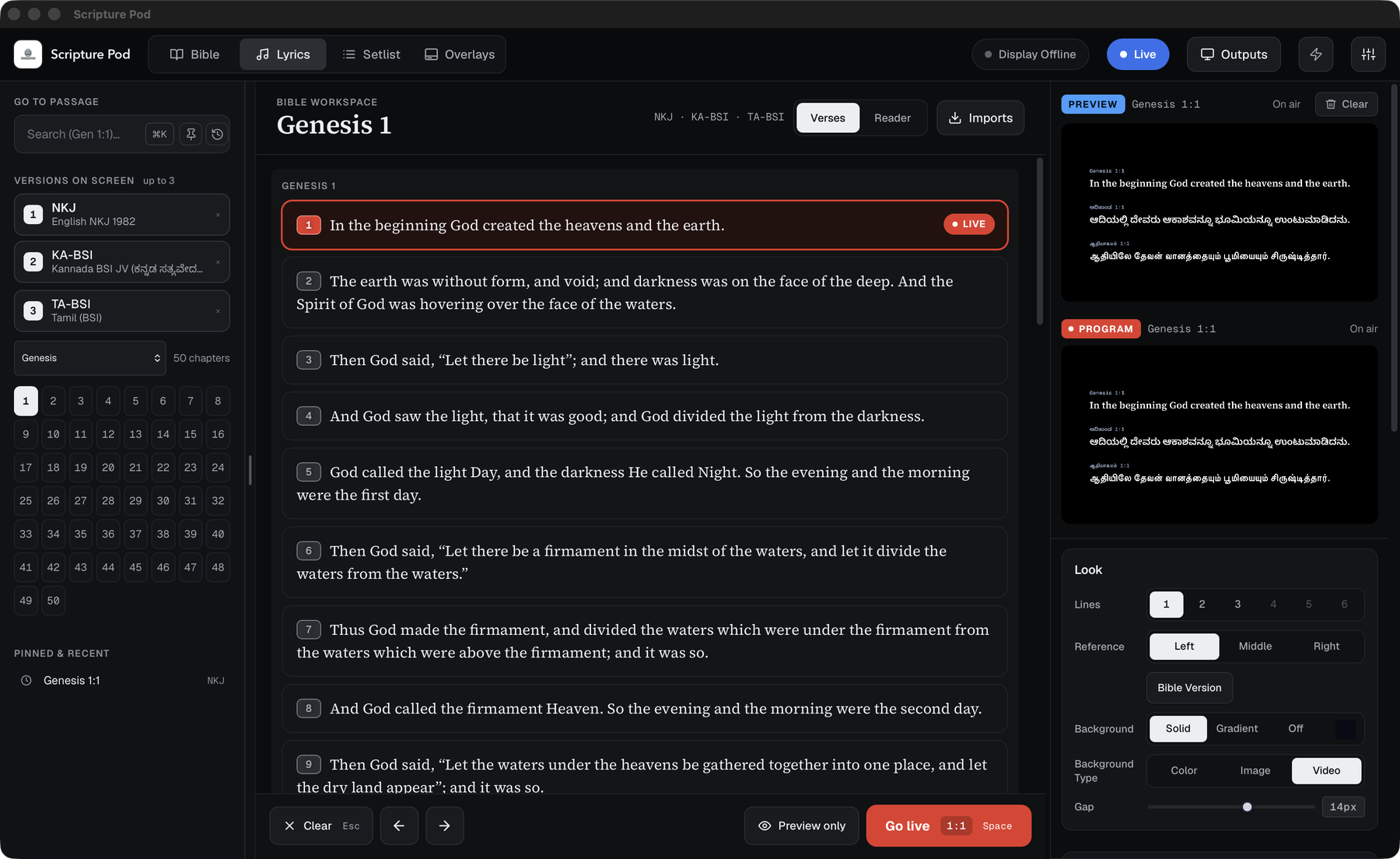
Scripture Pod is a Bible and lyrics projection tool for churches. A control panel sends verses, lyrics, lower thirds, intro and outro media to an output window, to OBS, or to any screen on your network.
It is a desktop app built with Tauri (Rust plus the system web view) and runs on macOS, Windows and Linux. It is not built for Android or iOS, but a phone can act as a remote control on the same network.
| I want to... | Read |
|---|---|
| Install the app | Installation |
| Put my first verse on screen | Quick Start |
| Learn every key | Keyboard Shortcuts |
| Show it in OBS | OBS Setup |
| Fix a problem | Troubleshooting |
The tabs along the top open the workspaces. Press ⌘1–⌘9 (Ctrl+1–9 on Windows and Linux) to jump to one. You can drag the tabs into any order.
- Bible: up to three versions side by side, one version at a time, reader view.
- Lyrics: songs as slides, translations, import.
- Overlays: name and role lower thirds, social overlays.
- Setlist: the order of the service, with templates.
- Media: intro, prayer time and outro for the stream.
- Wall/LED: a silent looping background for a stage screen.
- Displays: every screen that is showing something. See Outputs and Displays.
- Outputs and Displays: main screen, stream feed, stage display, any laptop, other computers.
- Phone Remote
- Service Lock: ask before anything changes on the screens.
- Settings
- Backup and Restore
- Updates
- Security
- Building from Source
The project is released under the MIT licence (see LICENSE in the repository). Use only lyrics and media you have the right to show in your church.